
Tool features and prices below reflect what each vendor published as of mid-2026, the most current data available at the time of writing. This category evolves quickly, so confirm current figures on each vendor’s own page before buying.
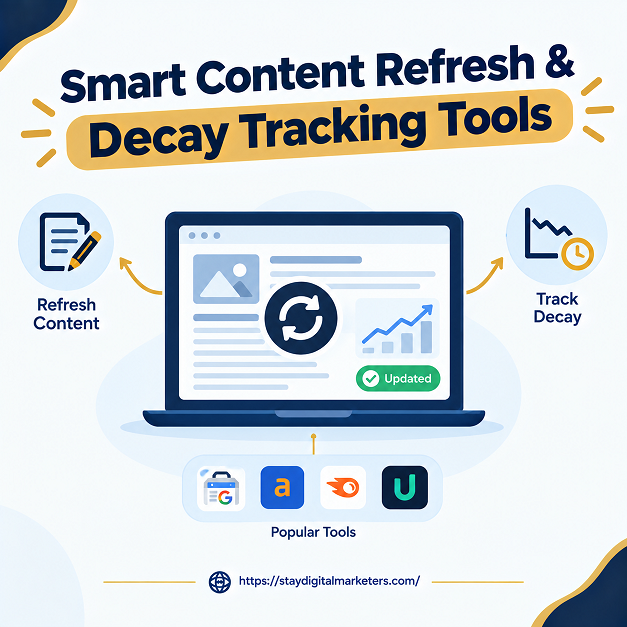
Content decay is a sustained loss of organic clicks and impressions on a page relative to its own historical baseline, measured over months rather than days. A smart decay tracking tool does more than plot a falling line: it distinguishes why a page is losing traffic, since a page can decay for several genuinely different reasons, and only one of them is reliably fixed by rewriting the content. A tool that just flags “clicks down” and stops there is not smart, regardless of how polished its dashboard looks.
The short answer is that smart tracking means pairing clicks with impressions, average position, and click-through rate to read the pattern those four metrics form together, then checking that pattern against known data quality issues before acting on it. The tools below range from free, manual methods to paid platforms that automate this diagnosis.
Key Takeaways
Most tools in this category, including several reviewed below, pull primarily from Google Search Console. That data source has a documented reliability problem specific to 2025 that almost no tool comparison addresses directly. In September 2025, Google removed the num=100 parameter from search results, which stripped out bot-inflated impressions and pulled reported counts down. Separately, Google later disclosed a logging error that had been inflating impressions since May 2025, which it corrected going forward without repairing the historical numbers. Clicks were not affected by either change, only impressions.
That matters directly for decay detection. A page showing falling impressions with a stable or improving position looks exactly like demand decay, a topic that people have simply stopped searching for. But if the comparison window spans the affected 2025 period, the same pattern can appear purely because of how Google’s own logging changed, not because real demand moved. None of the tool roundups covering this category flag that a reader should treat any year-over-year impression comparison spanning that window with extra caution, confirmed instead by checking the live SERP for AI Overviews or other features rather than trusting the impression trend alone.
Three questions separate a genuinely smart decay tracking approach from a tool that just shows a chart.
A tool or workflow passing all three gives a defensible diagnosis. One passing only the first two can still misclassify a page if the underlying GSC data itself is distorted for reasons that have nothing to do with the page.
Search Engine Land’s 2026 decay framework identifies four distinct signatures, each with a different fix.
A tool that cannot distinguish these four will recommend a refresh for all of them, which wastes effort on the three types a refresh does not fix.
Slate combines decay detection with refresh execution, tracking visibility across both traditional search and AI platforms including ChatGPT, Gemini, and Perplexity, then routing flagged pages into structured workflows for briefing, drafting, and publishing. Its stated rubric explicitly screens for seasonality, SERP layout changes, and cannibalization before calling something decay, which aligns closely with the Smart Decay Signal Test above. Pricing starts at $199 a month.

Built entirely around Google Search Console data, SEOTesting’s Content Decay Report surfaces pages that lost clicks over a chosen comparison window and includes annotation tools to track whether a subsequent refresh actually moved the needle. Pricing runs from $50 a month for a single site to $375 a month for larger agency use. Its diagnosis is only as reliable as the underlying GSC data, so applying the data integrity check above still matters even when using it.

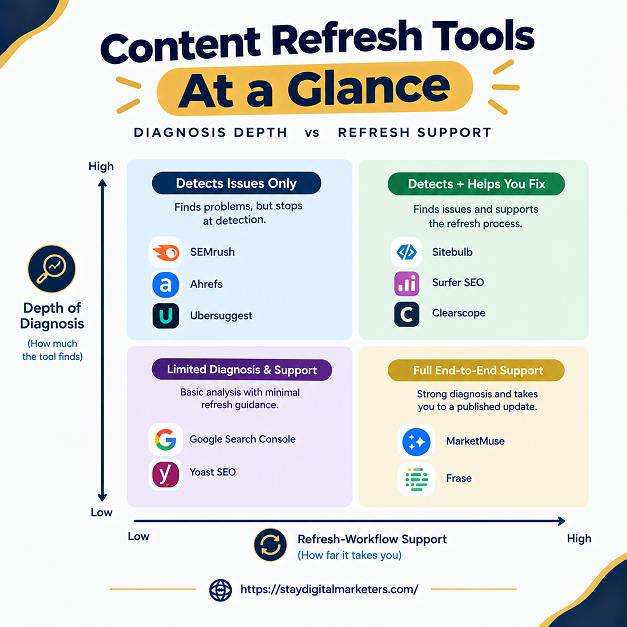
Every decay analysis starts here, whether used directly or feeding data into another tool. The Performance report gives clicks, impressions, CTR, and average position by page and by query, and URL Inspection helps rule out indexing problems before assuming content is at fault. It is free, but it only shows one page at a time and offers no prioritization or diagnosis beyond the raw numbers.
Ahrefs approaches decay through its backlink index rather than a dedicated module: Site Explorer and Top Pages reveal whether a declining page lost referring domains while competitors gained them, connecting traffic loss to link competition rather than content quality alone. Pricing starts at $29 a month for a limited Starter tier, rising to $1,499 a month at the enterprise level.

Semrush covers the decay workflow at the suite level: Organic Research surfaces pages losing traffic, Position Tracking flags ranking volatility, and Site Audit catches technical issues that can masquerade as content decay. It suits teams that want one platform for SEO, competitive research, and AI visibility tracking together, with plans starting at $199 a month.

ContentKing, now part of Conductor, occupies a different niche: it continuously crawls a site and alerts on changes to meta tags, canonicals, robots directives, or status codes in real time. It will not diagnose a click-through-rate problem, but it catches the moment a deploy accidentally noindexes a top-performing page, a technical cause of apparent decay that pure analytics tools miss entirely. Pricing is custom.
The simplest entry point on this list: connect GA4, and Animalz Revive analyzes twelve months of traffic data to rank posts losing organic traffic by impact, free of charge. It offers no prioritization scoring or workflow features, but for a small team building an initial refresh list without budget, it is a fast starting point.

Screaming Frog is not a decay detector by itself, but paired with its native Google Search Console and GA4 integrations, it becomes a strong tool for understanding why a flagged page is underperforming, surfacing internal link structure, canonical issues, and redirect chains in one crawl. Pricing runs from roughly $23 a month per license, with a free version covering up to 500 URLs.
| Tool | Primary Data Source | Starting Price | Best For |
| Slate | Search + AI visibility data | From $199/mo | Detection plus refresh execution |
| SEOTesting | Google Search Console | From $50/mo | GSC-driven decay reports |
| Google Search Console | First-party Google data | Free | The baseline every method starts from |
| Ahrefs | Ahrefs index + backlinks | From $29/mo | Backlink-aware decay diagnosis |
| Semrush | Semrush data + site crawl | From $199/mo | Full-suite periodic audits |
| ContentKing (Conductor) | Live site crawl | Custom | Catching technical causes of false decay |
| Animalz Revive | GA4 | Free | Fast, no-cost decay reports |
| Screaming Frog | Crawl + GSC + GA4 | From $23.25/mo | Diagnosing why a flagged page is declining |
Content decay is a sustained loss of organic clicks and impressions on a page relative to its own historical baseline, measured over months rather than days. One-week fluctuations do not qualify; the decline has to hold across a longer comparison window to count as genuine decay.
A smart tool distinguishes between types of decay, ranking loss, zero-click capture, intent drift, and demand decay, rather than flagging every click drop as the same problem. A basic tool shows a falling line; a smart one tells you which of several different fixes actually applies.
Yes. Google disclosed a logging error that inflated Search Console impressions from May 2025 onward, corrected without fixing historical numbers, on top of a separate September 2025 change that removed bot-inflated impressions. Year-over-year comparisons spanning that window can misread as demand decay when nothing changed.
No. A page can lose clicks while holding its ranking position and impressions because an AI Overview or featured snippet is now answering the query directly. Refreshing the content in that case does not bring the clicks back, since nothing about the page’s ranking actually declined.
Google Search Console is the essential free baseline, and pairing it with Animalz Revive, which analyzes GA4 traffic to rank decaying posts by impact, covers most of what a small site needs without any paid tool.
Quarterly for most sites, with monthly checks on high-value or revenue-critical pages. Checking too frequently makes it hard to tell whether a previous refresh actually worked, since a few weeks is rarely enough time for a change to fully show up in the data.
Decay tracking protects content that already has earned visibility, but recovering from ranking decay specifically often depends on authority signals a tool cannot generate on its own. Stay Digital Marketers works on that layer directly, including guest posting, press release distribution, SaaS backlinks, niche edits, multilingual backlinks, Wikipedia page creation, and Google Knowledge Panel creation, alongside complete SEO services, so a correctly diagnosed refresh has the off-page authority behind it to actually recover lost ground.

Filza Taj is an MPhil in Human Resources-turned SEO Specialist, Content Strategist, and Digital Marketing Consultant with over 5 years of experience helping businesses in 30+ countries grow online. As the Founder of Stay Digital Marketers (staydigitalmarketers.com), she delivers results-driven solutions in link building, guest posting, PR distribution, niche edits, multilingual backlinks, and content marketing. She publishes daily SEO insights and actionable strategies to help brands strengthen their online presence, attract the right audience, and convert clicks into loyal customers.
Filza@staydigitalmarketers.com
Stay Digital Marketers
Need SEO, Link Building or Digital Marketing Services?
Request a Free Audit →