

If you’re just starting with digital marketing, chances are you’ve heard that Google Ads is one of the fastest ways to drive targeted traffic, generate leads, and scale sales. But here’s the catch: for beginners, it can feel overwhelming. With so many campaign types, bidding strategies, and metrics, how do you even know where to start?
As an SEO & marketing expert working with global businesses, I (Filza Taj, Founder of Stay Digital Marketers) often see small companies either overspend on irrelevant clicks or miss out on huge opportunities because they didn’t set up campaigns correctly. This guide will simplify Google Ads step by step so you can launch your first campaign with confidence and avoid costly mistakes.
Google Ads (formerly Google AdWords) is Google’s online advertising platform where businesses pay to show their ads on search results, YouTube, and partner websites. Unlike SEO, which can take months to show results, Google Ads delivers almost instant visibility.
Key benefits for beginners:
Pro Insight (Filza Taj): For new businesses, Google Ads is not just about quick sales—it’s about testing your market, learning what converts, and using that data to strengthen both SEO and long-term marketing.
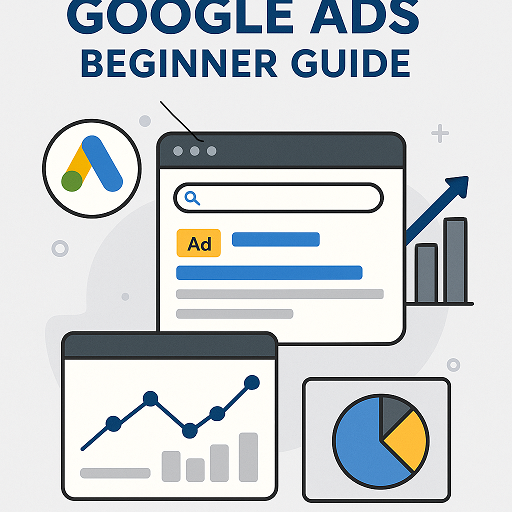
Think of Google Ads as an auction. When someone searches “best running shoes,” multiple businesses bid to show their ad. Google considers two things:
Result? Even if you bid less, a higher Quality Score can win you better ad positions at a lower cost.
Go to ads.google.com and set up your account. Use a professional email linked to your business.
Google will ask your objective:
Beginner tip: Start with Search Ads. They’re easiest to measure and most conversion-focused.
Keywords are the backbone of your ads. Use Google Keyword Planner, SEMrush, or Ahrefs to find:
Your ad has limited space, so every word counts.
Ad structure:
Pro Insight: Use emotional and action-oriented words: “Boost,” “Grow,” “Save,” “Get Started.”
Never send traffic to your homepage. Instead, design a dedicated landing page that:
Beginner tip: Start with “Maximize Clicks” to gather data, then switch to “Target CPA.”
Once live, track:
| Aspect | Google Ads | SEO |
|---|---|---|
| Speed | Immediate results | Takes 3–6 months |
| Cost | Pay-per-click | Investment in content/links |
| Scalability | Easy to scale budget | Depends on rankings |
| Control | Full targeting control | Limited once ranked |
| Best for | Quick leads, testing offers | Long-term authority |
Pro Insight: I always advise beginners to use both. Run ads for quick wins, while building SEO for long-term growth.
Q1. How much should a beginner spend on Google Ads?
Start with $300–$500/month. Use it as a testing budget to see which keywords and ads perform best.
Q2. How long before I see results?
Expect data within 1–2 weeks. Optimized results usually show after 4–6 weeks.
Q3. Can I run Google Ads without a website?
Yes. You can use “Smart Campaigns” with a Google Business Profile, but for serious results, a landing page is best.
Q4. Are Google Ads better than Facebook Ads?
It depends. Google Ads capture active intent (people searching now), while Facebook Ads target passive audiences based on interests.
Q5. Do Google Ads help SEO rankings?
Not directly. Ads don’t improve organic rankings, but they drive traffic that can boost brand signals.

Filza Taj is an MPhil in Human Resources-turned SEO Specialist, Content Strategist, and Digital Marketing Consultant with over 5 years of experience helping businesses in 30+ countries grow online. As the Founder of Stay Digital Marketers (staydigitalmarketers.com), she delivers results-driven solutions in link building, guest posting, PR distribution, niche edits, multilingual backlinks, and content marketing. She publishes daily SEO insights and actionable strategies to help brands strengthen their online presence, attract the right audience, and convert clicks into loyal customers.
Filza@staydigitalmarketers.com
Stay Digital Marketers
Need SEO, Link Building or Digital Marketing Services?
Request a Free Audit →