
Tool features and prices below reflect what vendors and independent reviews published as of early October 2026, the most current data available at the time of writing. Prices are reported inconsistently across sources, so confirm them on each vendor’s own page before buying.
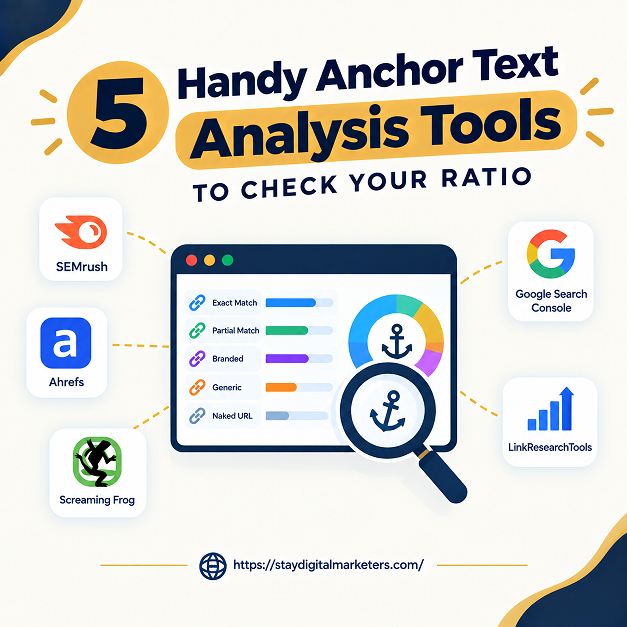
An anchor text ratio is the share of a site’s backlinks that use each type of anchor text: branded (the company name), naked URL, generic (such as click here), partial match (a target keyword inside a longer phrase), and exact match (the target keyword alone). An anchor text analysis tool shows that distribution so a link builder can see whether a profile looks naturally earned or built around a money keyword. Two kinds of tool are involved. Backlink index tools such as Ahrefs, Semrush, and Moz supply the raw anchors pointing at a site. Classifiers, such as free browser analyzers, sort a pasted list of anchors into buckets and calculate the percentages.
The short answer is that checking a ratio takes both layers: a data source to collect anchors and a method to classify and judge them. The five tools below cover data sources, a free first-party option, and a classifier, and the sections that follow explain how to judge the result without leaning on a single magic percentage.
Key Takeaways
Ask where exact-match anchors become risky and the answers range from 5 percent to 40 percent. W3Era’s 2026 guide says to flag an exact-match ratio above 5 percent and start offset link building. A 12AM Agency guide calls anything over 10 percent the danger zone. MetricsWatch says to keep exact-match under 20 percent and warns that sites above 40 percent often face penalties. SEOJuice, drawing on about 40 penalized-and-recovered sites, puts risky territory at 25 to 30 percent. Branded targets are just as scattered: 50 to 70 percent in one guide, 20 to 30 percent in another, and 80 to 95 percent for branded, generic, and naked anchors combined on a homepage in a third.
Few of these figures come with a named dataset. Two sources do offer evidence. SEOJuice’s own audit of 12,000 sites, a vendor-run study with a short methodology note, reports median exact-match anchors of 3 to 8 percent for sites ranking in the top three for their main queries, against 14 to 25 percent for sites in positions 20 to 50. A 2024-edition guide quotes an Ahrefs analysis that found a relatively weak correlation between the percentage of exact-match links and rankings. Those findings are not necessarily contradictory, since one compares median bands and the other measures correlation, but neither proves that a given percentage causes a penalty. The practical reading is to treat any fixed ratio as a rule of thumb and use tools to compare against the sites that actually rank for your queries.
SEO.Domains’ free Anchor Text Ratio Analyzer, one of the pages reviewed in full for this article, shows how these tools work. It runs in the browser, accepts one anchor per line from any backlink export, and sorts each into branded, exact-match, partial-match, naked URL, generic, or empty buckets. It does not fetch backlinks itself, and its classification depends on the brand and money keywords the user types in. Its health verdict flags exact-match above roughly 10 and 20 percent, and its FAQ offers a rule of thumb of exact-match well under 10 percent with branded above 40 percent. The page also closes by promoting the publisher’s aged-domain marketplace, so its guidance is worth weighing as vendor content.
Two practical limits follow. First, the tool counts each pasted line as one anchor, so a link-level export where one site contributes thousands of sitewide links can swamp the ratio. SEOJuice’s guidance is to sort by referring domains rather than raw link count, since one site with 1,000 links using the same anchor says less than 50 sites independently choosing similar text. Second, a classifier cannot tell whether a ratio is normal for a niche, because it has no competitor data. Neither point appears on the SEO.Domains page, and both change how a result should be read.
A fixed target invites guesswork, while a benchmark does not. Five steps turn any of the tools below into a defensible ratio check.
A pattern that turns up in audits, observed across client work, is a ratio that looks alarming at link level and ordinary once grouped by referring domain, usually because one sitewide link repeated the same anchor. Grouping first prevents fixing a problem that does not exist.
Best for the full picture. The Anchors report in Site Explorer lists every anchor phrase pointing to a domain with referring domain counts and a dofollow split, which makes step one of the benchmark check straightforward. It works on competitor domains too, which is what the benchmark needs. Ahrefs Webmaster Tools is free for a verified domain you own, but complete competitor anchor analysis and full exports require a paid plan, listed from about $129 a month in one 2026 comparison. An early 2025 guide listed $99 for the entry plan, so confirm current pricing.
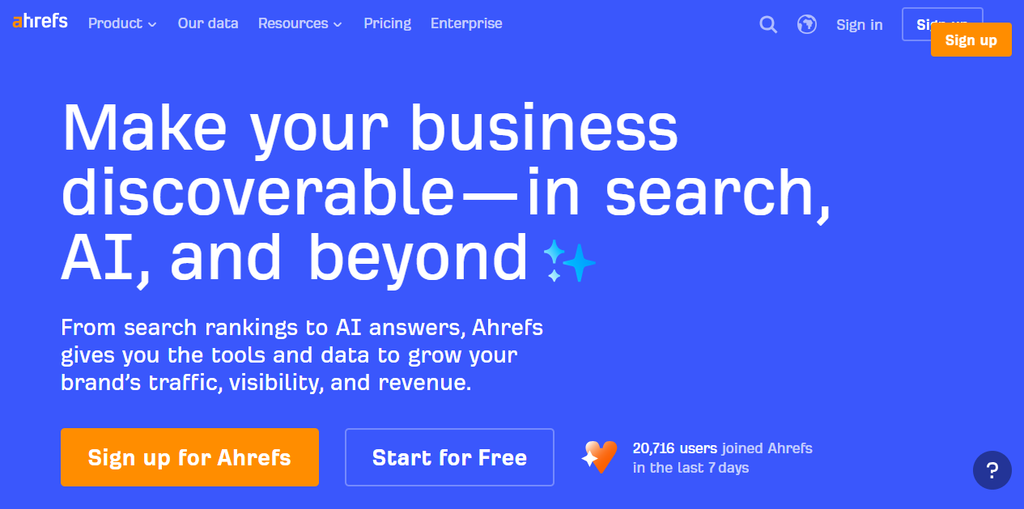
Best for agencies and toxicity checks. Semrush reports anchor distribution through Backlink Analytics and flags suspicious anchors through Backlink Audit, and its distribution charts and exportable reports suit client work. A MetricsWatch checklist points to its side-by-side comparison against your top three competitors, which matches the benchmark step directly. Free access is limited to about 10 requests a day in one review, and one 2026 comparison reports paid plans from about $139 a month. Toxic flags are automated judgments, so review them against the benchmark before disavowing anything.
Best free first-party option. The Links report shows top linking text for a verified property at no cost, which makes it a dependable check of your own profile. Because it only covers properties you own, it cannot supply competitor anchors, so it covers step one of the benchmark check but not step two. It also gives a baseline to compare against what a paid index reports for the same domain.
Best for beginners. Digiinte’s 2026 review describes the interface as cleaner and less data-dense than Ahrefs or Semrush, and the anchor text overview carries a spam score overlay. A free account allows about 10 checks a month, enough for an occasional audit, while paid plans are reported from $49 to $299 a month across tiers. A four-domain benchmark would use a large share of that free allowance, so plan which competitors to check before spending it.
Best free classifier. Paste anchors exported from Ahrefs, Semrush, Majestic, or Search Console, enter brand and money terms, and read a live ratio table and health verdict, with all processing done in the browser so confidential link data is not uploaded. It supplies the classification step that raw exports lack. Use its verdict bands as one rule of thumb rather than a ruling, and group the export by referring domain before pasting.
| Tool | Role | Free Access | Reported Paid Price | Main Limit |
| Ahrefs | Data source | Webmaster Tools for your own verified domain | From about $129/mo (2026 comparison) | Full competitor exports need a paid plan |
| Semrush | Data source plus toxicity flags | About 10 requests per day | From about $139/mo (one 2026 comparison) | Automated toxic flags need manual review |
| Google Search Console | First-party data source | Fully free | Free | Your own properties only |
| Moz Link Explorer | Data source for beginners | About 10 checks per month | Paid tiers from $49 to $299/mo | Free allowance limits benchmarking |
| SEO.Domains Analyzer | Classifier | Fully free | Free | No backlink data; depends on your terms |
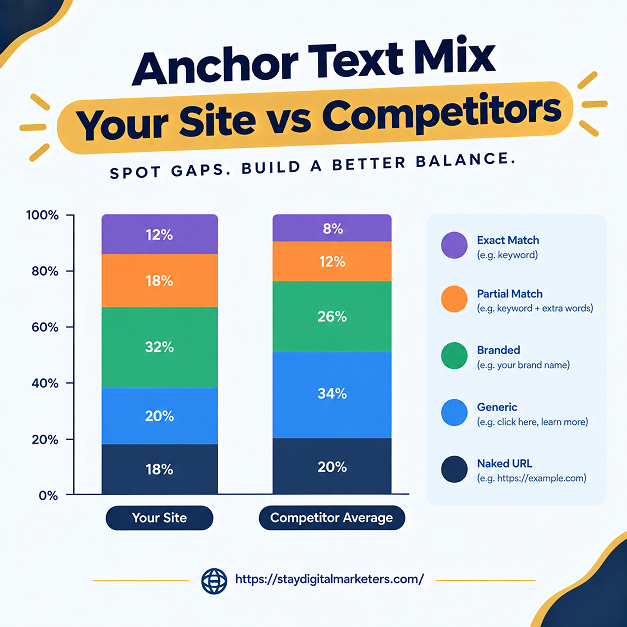
There is no single official figure. Guides disagree widely, with exact-match risk thresholds quoted anywhere from 5 percent to 40 percent. A safer approach is to benchmark against sites that rank for your target queries and keep branded and naked URL anchors as the largest share, since naturally earned profiles tend to skew that way.
Ahrefs and Semrush are the most complete options because they export anchors for competitors as well as your own site. Google Search Console is the best free choice for your own links, and a free classifier such as the SEO.Domains analyzer can calculate the percentages from any export.
Yes. Google Search Console shows top linking text for sites you own, Ahrefs Webmaster Tools covers a verified domain, and Moz Link Explorer allows about 10 free checks a month. Free options generally cannot export full competitor anchor data, which is where paid plans from Ahrefs or Semrush become necessary.
No. An Ahrefs analysis quoted in a 2024-edition guide found only a relatively weak correlation between exact-match percentage and rankings. A high exact-match share looks manipulative and deserves review, but no verified study sets a threshold at which penalties begin, so compare against competitors before acting.
Referring domains. One site with 1,000 links using the same anchor says less than 50 sites independently choosing similar text. Grouping an export by referring domain before calculating ratios stops sitewide or footer links from inflating one anchor type and making a normal profile look over-optimized.
Quarterly works for most sites, comparing against both your previous quarter and a set of competitors. Check sooner after a large guest posting or digital PR campaign, since a burst of new links with similar anchors can shift the overall distribution quickly.
Analysis shows where an anchor profile stands, but changing it still means earning new links with the right mix of anchors. Stay Digital Marketers works on that side of the process, including guest posting, press release distribution, SaaS backlinks, niche edits, multilingual backlinks, Wikipedia page creation, and Google Knowledge Panel creation, alongside complete SEO services, so a profile that needs more branded or editorial links has a source for them.

Filza Taj is an MPhil in Human Resources-turned SEO Specialist, Content Strategist, and Digital Marketing Consultant with over 5 years of experience helping businesses in 30+ countries grow online. As the Founder of Stay Digital Marketers (staydigitalmarketers.com), she delivers results-driven solutions in link building, guest posting, PR distribution, niche edits, multilingual backlinks, and content marketing. She publishes daily SEO insights and actionable strategies to help brands strengthen their online presence, attract the right audience, and convert clicks into loyal customers.
Filza@staydigitalmarketers.com
Stay Digital Marketers
Need SEO, Link Building or Digital Marketing Services?
Request a Free Audit →