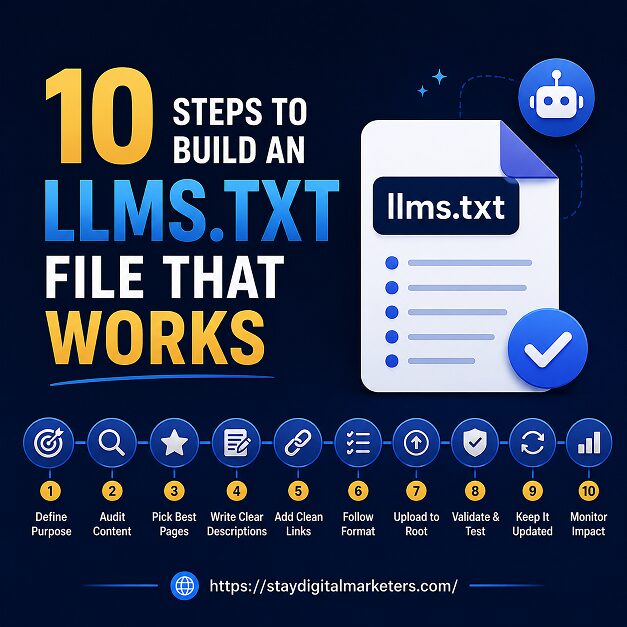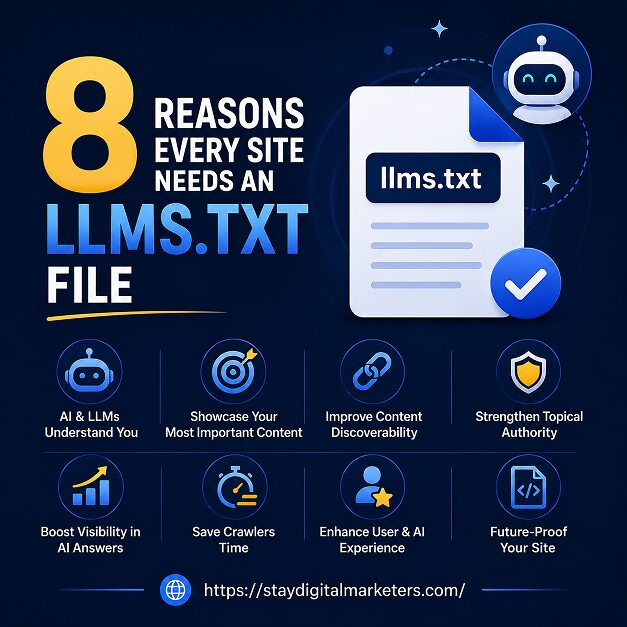

llms.txt is a plain-text Markdown file, published at the root of a domain, that gives large language models and AI agents a curated map of a site’s most important content. Jeremy Howard of Answer.AI first proposed the format in September 2024, positioning it as an answer to a simple problem: model context windows are limited, and HTML pages are noisy with navigation, scripts, and ads that waste tokens a model could spend on actual content.
Unlike robots.txt, llms.txt does not block or permit crawling. It is closer to a reference index than a gatekeeper, meant to be read by a model or agent at the moment it is trying to answer a question or complete a task involving a site. That distinction is where most of the setup mistakes below start, because teams keep building llms.txt like it were an SEO file rather than what it actually is.
Key Takeaways
Most llms.txt setups fail for one of two reasons: the file is technically broken so nothing can parse it, or the file is technically valid but poorly maintained so it misrepresents the site. Across the guest-posting and content-audit work handled for client sites, the same handful of errors resurface project after project, almost always because the file was created once during a launch sprint and never touched again.
The llms.txt spec expects the file at the domain root, served as plain text: yourdomain.com/llms.txt. Sites frequently save it inside a /docs/ subfolder, publish it only on a staging environment, or let their CMS wrap the file in an HTML template so it renders as a webpage instead of raw Markdown. In every one of these cases, an AI crawler checking the expected root location finds nothing, and the setup effort is wasted.
It belongs at the top level of the domain, not nested under a subdirectory, and it should return a plain-text response rather than an HTML page. Some content management systems apply a default text/html content type to any new file, which silently breaks the format even when the content itself is written correctly.
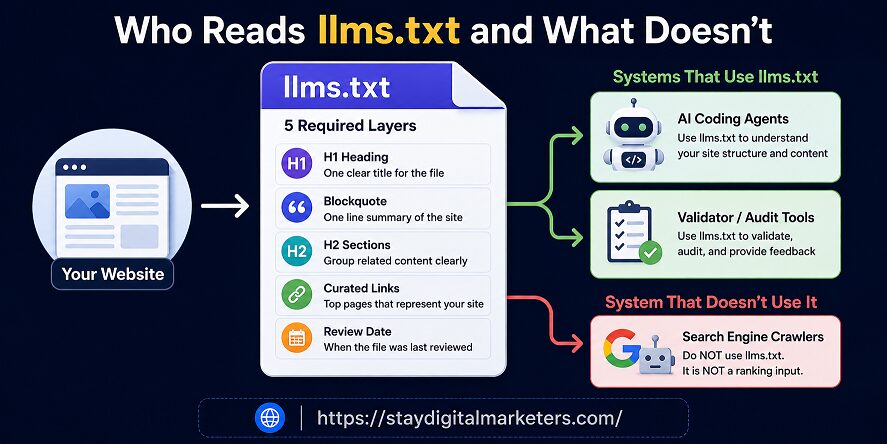
The format has a small but strict syntax: exactly one H1 with the site or project name, followed by a blockquote summary sentence, then H2-labeled sections containing links. Files that skip the H1, use multiple H1s, add a YAML front-matter block, or open straight into a bulleted list without the summary line are technically invalid, and validators built for the format flag structural syntax as the leading cause of failures.
A valid file opens with a single hash-and-space heading naming the site, a one-line blockquote description directly beneath it, and then organizes links under clearly labeled H2 sections such as Documentation, Guides, or API Reference. Nothing before the H1 and nothing that substitutes a plain paragraph for the required blockquote.
llms.txt is not a sitemap. Sites that paste in hundreds of URLs, including archived posts, tag pages, and legal boilerplate, defeat the purpose of the file. The entire value proposition is a short, high-signal index that lets a model skip the noise of a full site crawl, and dumping the sitemap into it removes that advantage while adding maintenance overhead for every link that eventually breaks.
A curated file with twenty well-chosen links communicates a site’s structure more clearly than one with two thousand. Overloading the file also increases the odds that some listed pages get migrated or deleted without the file being updated, which introduces the dead-link problem covered next.
Publishing llms.txt once and never returning to it is close to universal. Pages get renamed, products get discontinued, and pricing changes, but the file keeps pointing to the old version. A stale file is arguably worse than no file, because any system that does read it walks away with outdated information passed off as current.
Dead links inside llms.txt are particularly damaging in systems that attempt to retrieve the listed URLs, since a failed fetch quietly reduces successful retrieval without surfacing an obvious error to the site owner. Outdated descriptions cause a subtler problem: the file keeps parsing correctly, but it misrepresents what the site currently offers.
Some sites unintentionally block the very file they built to be read. A robots.txt disallow rule covering the root directory, an authentication wall applied sitewide, or a default noindex header from a staging environment that never got removed in production can all make llms.txt unreachable to anything outside a logged-in browser session.
Request the file with a tool that does not carry browser session cookies, such as curl or a fresh incognito window, and confirm a 200 response without a login redirect. If the file sits behind a CDN, check its bot-management rules specifically, since many are configured to challenge or block unfamiliar crawlers by default.
The mistake here is not technical, it’s strategic. Some teams implement llms.txt expecting a direct lift in Google rankings or AI Overview inclusion, then treat the file as underperforming when that lift never appears. Google has publicly stated that machine-readable files are not required to appear in generative AI search features, and independent research has found no measurable citation benefit tied to the file’s presence.
A 300,000-domain study built an XGBoost model to test whether llms.txt presence predicted AI citation frequency, and found that removing the llms.txt variable from the model improved its accuracy: the file added noise rather than a usable signal. That does not make llms.txt worthless, it means the expectation was wrong from the start.
The strongest documented use case is developer tooling. AI-assisted IDEs and coding agents increasingly check for llms.txt when pointed at a documentation site, using it to orient faster than crawling the full site would allow. For documentation-heavy or developer-facing products, that is a real, low-cost benefit even without any change to organic search visibility.
Each of the six mistakes above maps to a gap in one of five checks. Running a file through this framework before publishing, and again at every scheduled review, catches most of the failures covered in this article before they reach production.
Correct location: the file resolves at the domain root as plain text, not HTML, not a subfolder, not staging.
Legible syntax: one H1, one blockquote summary, clearly labeled H2 sections, no custom front-matter.
Exact curation: only the pages that genuinely help a model understand the site, each with a real description.
Active maintenance: a named owner, a review date noted in the file, and updates tied to major site changes.
No overpromising: the file is framed internally as agent-readiness infrastructure, not an SEO ranking tactic.
| Mistake | Why It Happens | Fastest Fix |
| Wrong file location or format | File saved in a subfolder, on staging, or wrapped in HTML/CMS templating | Publish plain-text Markdown at the domain root: yourdomain.com/llms.txt |
| Broken H1 or blockquote syntax | File written without a single # H1 line or without the required blockquote summary | Start with exactly one H1, then a blockquote summary, then H2 sections |
| Every URL dumped into the file | Treating llms.txt like a sitemap instead of a curated index | List only the pages a model actually needs to understand the site |
| File never updated | Set up once during launch, then forgotten | Assign an owner and a review date; note the last-reviewed date in the file |
| File blocked or gated | robots.txt disallow rule, auth wall, or noindex meta applied by default | Confirm a 200 response and public access with a direct curl request |
| Treated as a ranking lever | Marketing pressure to justify the file as an SEO or AI Overview tactic | Frame it as agent-readiness infrastructure, not a search visibility tool |
Hosting the file in the wrong place. Sites often save llms.txt inside a docs subfolder, on a staging domain, or behind a CMS wrapper that serves it as HTML. AI crawlers and agents check the domain root first, so an unreachable or mis-formatted file is functionally the same as having no file at all.
No confirmed evidence shows llms.txt affects Google or Bing rankings directly. Google has stated machine-readable files are not required for generative AI features. A broken file does not carry a search penalty, but it wastes the setup effort and can misinform any agent or tool that does attempt to read it.
Robots.txt controls what crawlers are allowed to crawl and index. llms.txt does not block or permit anything; it is a curated Markdown index meant to help a model or agent orient itself at inference time. One is a gatekeeper file, the other is a reference map, and confusing the two causes several of the setup mistakes covered above.
For most small sites, llms.txt is optional and low priority. It matters more for documentation-heavy sites, developer tools, and platforms used by AI coding agents such as Cursor or Aider. If content is already well-structured with clear headings and FAQs, the return from adding llms.txt correctly is modest but low-cost.
Update llms.txt whenever major pages are added, removed, or restructured, and review it on a set schedule, such as quarterly. A dated note like ‘last reviewed’ inside the file helps both maintainers and any system reading it confirm the index still matches the live site.
llms-full.txt is a companion file that inlines full page content instead of just links, useful for text-heavy documentation. Most sites only need the standard llms.txt index. Add llms-full.txt only when a large share of your content is reference material a model would otherwise have to fetch page by page.
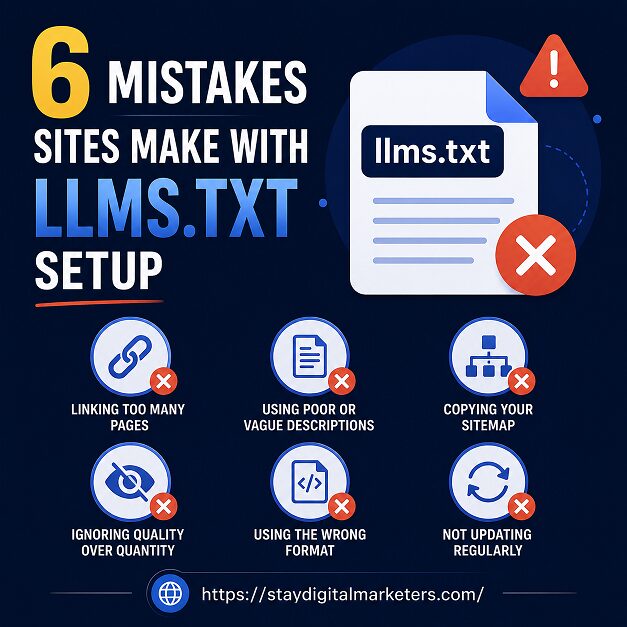
None of these six mistakes require a technical overhaul to fix. Correct hosting, valid syntax, a curated link list, a maintenance schedule, an open path for crawlers, and realistic expectations cover nearly every failure pattern seen across live llms.txt files today. Teams that treat the file as a small, ongoing maintenance task rather than a one-time launch checkbox get the most reliable outcome from it.
Sites working through broader AI visibility and off-page strategy alongside technical fixes like this one often lean on specialized support for the parts that compound over time, such as earned backlinks and citation-worthy digital PR. Stay Digital Marketers works with brands on this layer of visibility, including guest posting, press release distribution, SaaS backlinks, niche edits, Wikipedia page creation, and Google Knowledge Panel creation, alongside the technical groundwork covered above.

Filza Taj is an MPhil in Human Resources-turned SEO Specialist, Content Strategist, and Digital Marketing Consultant with over 5 years of experience helping businesses in 30+ countries grow online. As the Founder of Stay Digital Marketers (staydigitalmarketers.com), she delivers results-driven solutions in link building, guest posting, PR distribution, niche edits, multilingual backlinks, and content marketing. She publishes daily SEO insights and actionable strategies to help brands strengthen their online presence, attract the right audience, and convert clicks into loyal customers.
Filza@staydigitalmarketers.com
Stay Digital Marketers
Need SEO, Link Building or Digital Marketing Services?
Request a Free Audit →