Call or WhatsApp us anytime
Mail Us For Support

Multilingual SEO tools fall into three groups: translation plugins and services that create each language version, technical tools that check hreflang and indexing, and keyword tools that research search terms in each country. Most sites need at least one tool from each group.
This list covers 14 tools and plugins, with prices read from each vendor’s own pricing page in November 2026. The choice matters because translation tools differ sharply on the features that decide rankings, such as translated URL slugs, indexable pages and what happens to translations when a subscription ends. English is used by 49.5% of websites with a known content language according to W3Techs content language statistics, so the right tools open up markets where competition is much thinner.
Key Takeaways
WPML, Polylang and TranslatePress lead for WordPress sites that want translations stored on their own server; Weglot, GTranslate, Linguise and ConveyThis lead for fast cloud-based translation on any platform. The table summarises entry prices and the SEO feature that most often separates plans.
| Tool | Type | Entry paid price (Nov 2026) | Key SEO detail |
|---|---|---|---|
| WPML | WordPress plugin | €39/year (Blog) | AI translation and string translation start on the €99 CMS plan |
| Polylang | WordPress plugin | Free; Pro from €99/year | Custom post type and taxonomy slug translation in Pro |
| TranslatePress | WordPress plugin | Free; paid about €99/year | SEO Pack and extra languages are premium add-ons |
| Weglot | Cloud service | €15/month (Starter) | Translated URLs from the €79/month Pro plan |
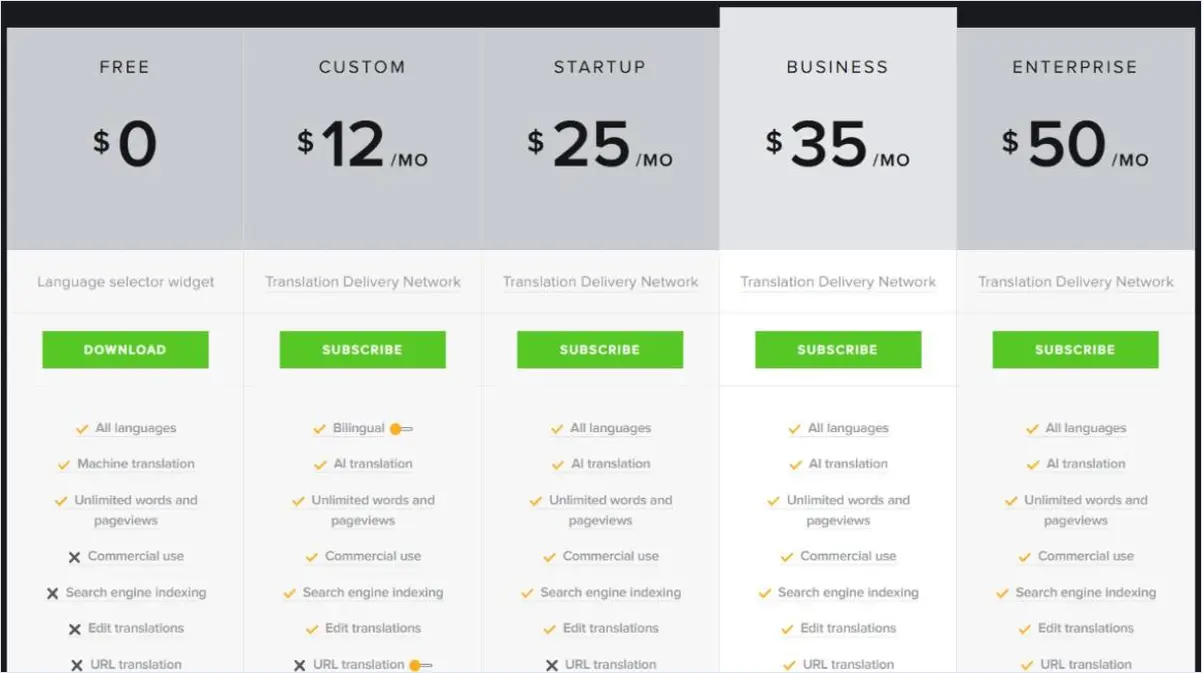
| GTranslate | Cloud service | $12/month (Custom, bilingual) | Free plan is not indexed; URL translation from $35/month |
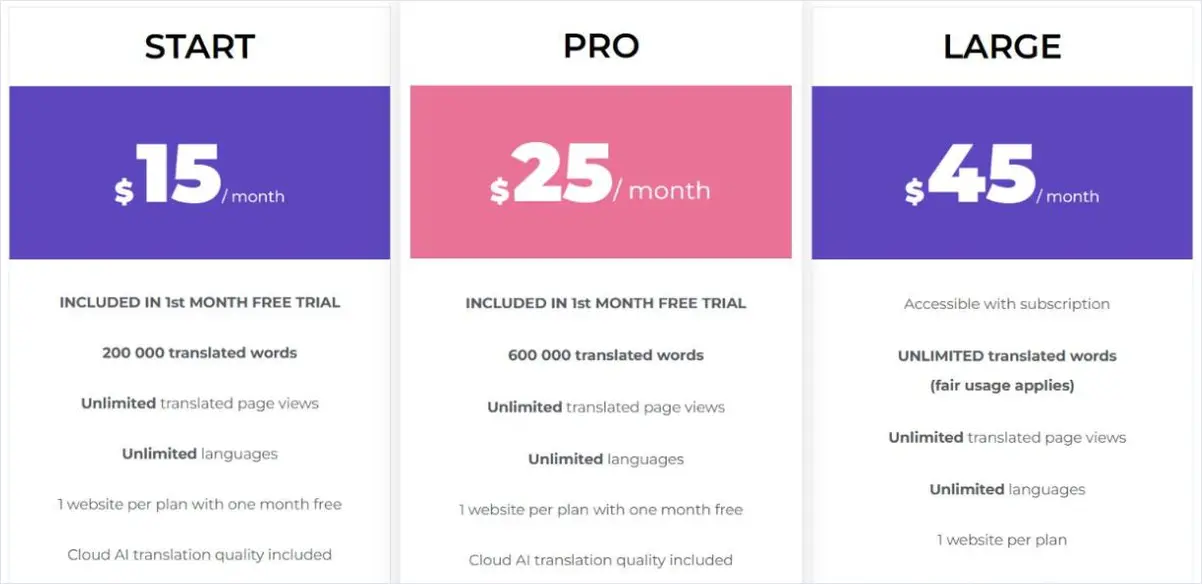
| Linguise | Cloud service | $15/month (Start) | Unlimited languages on every plan |
| ConveyThis | Cloud service | $10/month billed yearly | Free plan for 1 language and 2,500 page views |
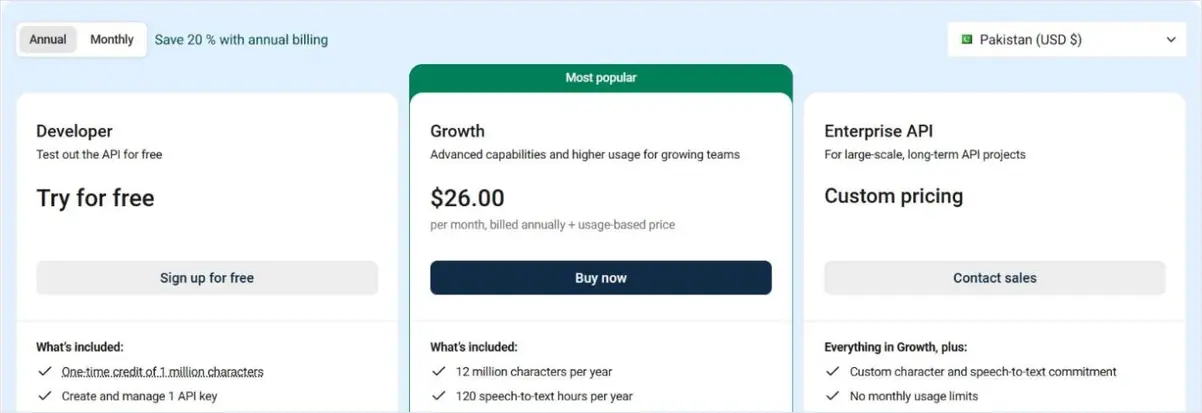
| DeepL API | Machine translation | Free credit; Growth $26/month yearly | Powers plugin translations with your own key |
The best translation plugin is the one that gives every language its own crawlable URL, translated metadata and slugs, and automatic hreflang on the plan you can afford. The seven options below are the most widely used.
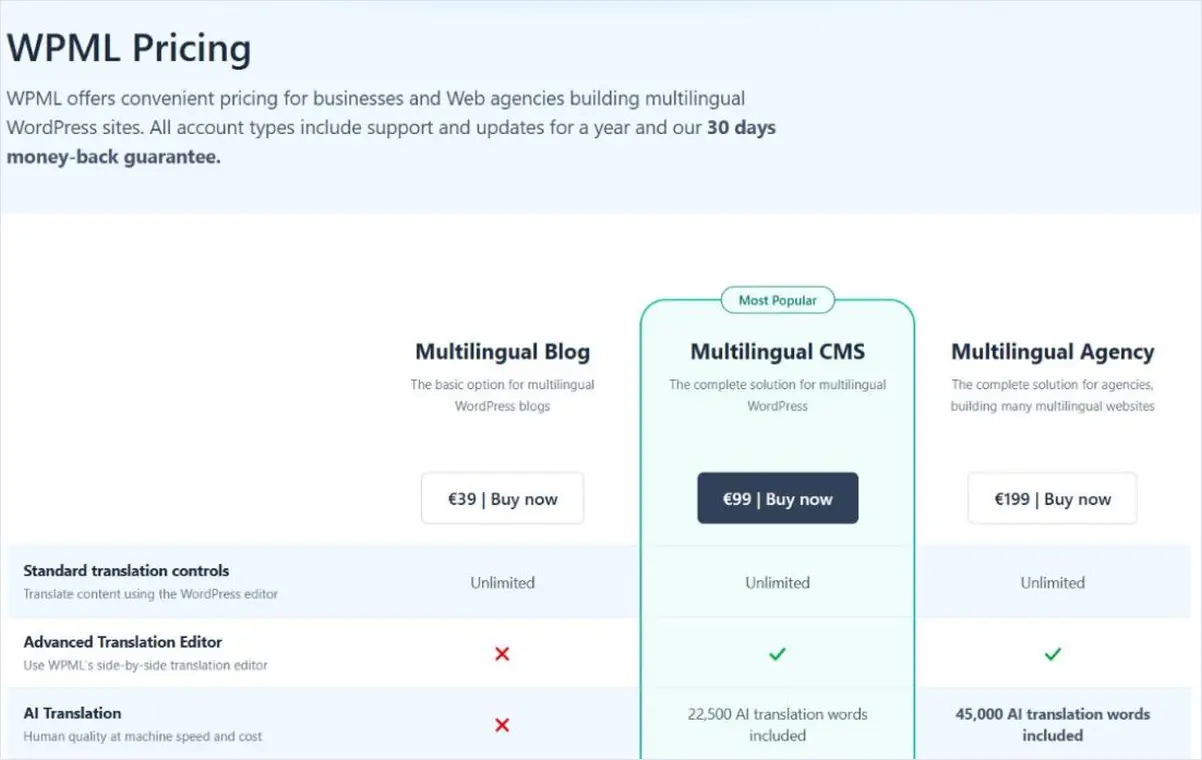
WPML is a long-established WordPress plugin that stores each translation as its own post. The Multilingual Blog plan costs €39 per year, Multilingual CMS €99 per year with 22,500 AI translation words, and Multilingual Agency €199 per year with 45,000 AI translation words and unlimited sites. The Blog plan does not include the Advanced Translation Editor, string translation or page builder support, so most business sites need CMS.
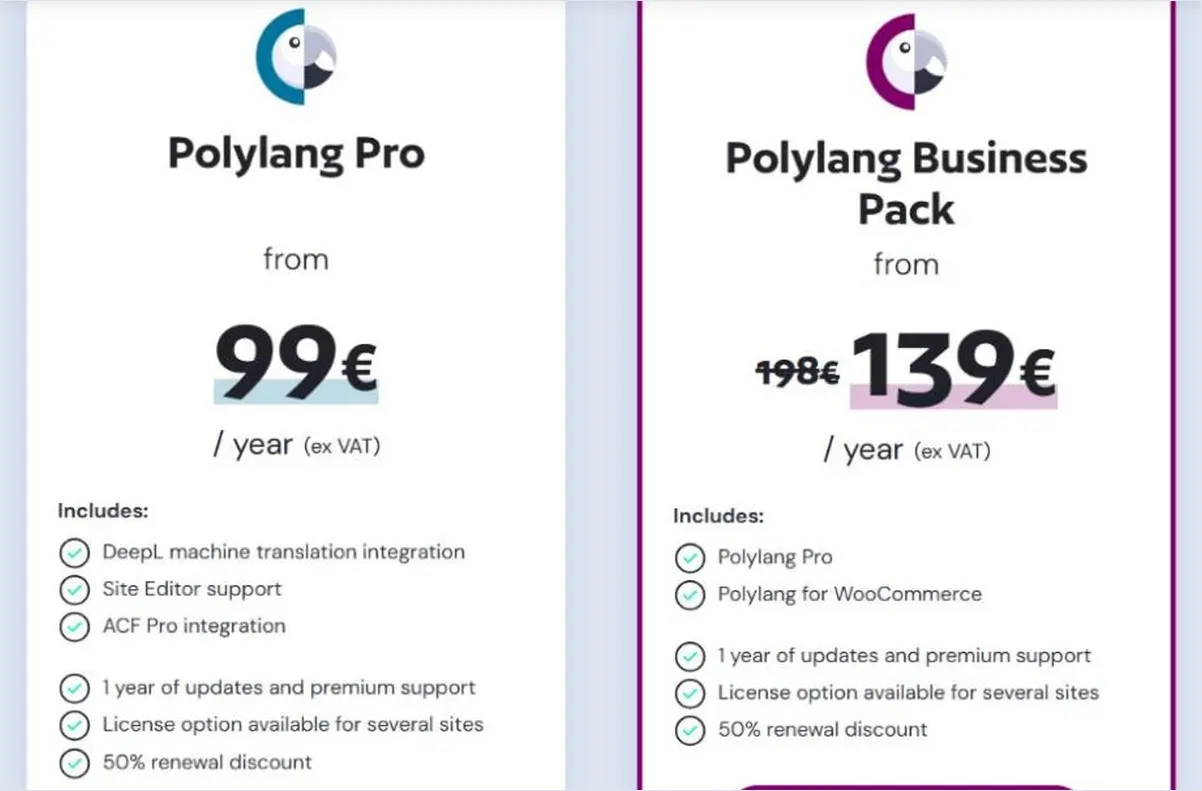
Polylang has a free version on WordPress.org, rated 4.7 out of 5 from 3,006 reviews when checked. Polylang Pro starts at €99 per year and adds translation of URL slugs for custom post types and taxonomies, the option for translations to share one slug, DeepL machine translation through your own API key and full Site Editor support. The Business Pack, which adds WooCommerce, was listed at €139 per year, down from €198, with a 50% renewal discount on both.
TranslatePress lets editors translate pages visually on the front end, and its free plugin supports one additional language. Paid plans are listed at roughly €99, €199 and €349 per year for one, three and unlimited sites. The SEO Pack, which translates slugs, titles and meta descriptions, and support for more languages are premium add-ons, so the free version suits testing rather than ranking.
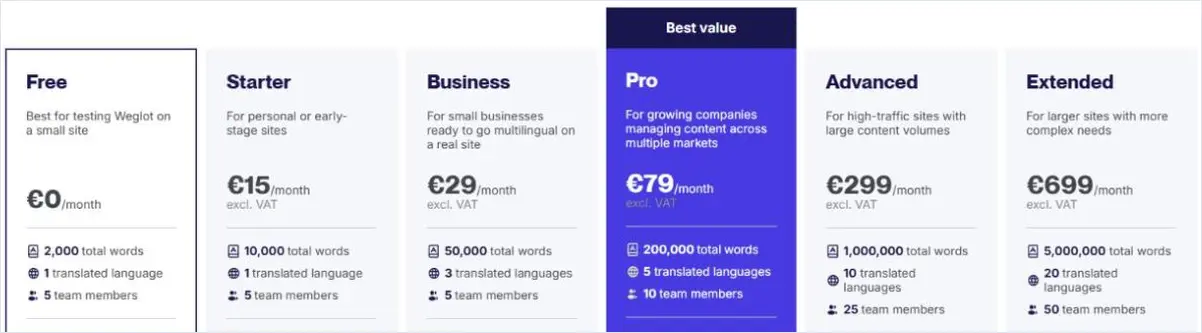
Weglot is a cloud translation service that works on WordPress, Shopify, Webflow and most other platforms. Plans run from a free tier with 2,000 words and one language to Extended at €699 per month for 5,000,000 words and 20 languages. Translated URLs only appear from the Pro plan at €79 per month, an important detail for sites that want localized slugs.
GTranslate offers unlimited words and page views on every paid plan, priced by features rather than volume. The free widget is not indexed by search engines and does not allow commercial use. The Custom plan at $12 per month covers one extra language, Startup at $25 adds all languages and indexing, and Business at $35 adds URL translation.
Linguise prices by translated words and includes unlimited languages on every plan: Start at $15 per month for 200,000 words, Pro at $25 for 600,000 words and Large at $45 for unlimited words under fair use. New accounts get one month free with up to 600,000 translated words, which is enough to test a full site.
ConveyThis has a free plan for one language, one domain and 2,500 page views a month. Paid annual plans start with Starter at $120 per year for one language, Business at $240 per year for three languages and 200,000 words, and Pro at $640 per year for five languages across three domains.
DeepL is the engine most often connected to WordPress translation plugins for European languages, while most cloud services include their own AI translation in the price. Whatever the engine, machine output should be reviewed by a native speaker before it is published on pages that need to rank.
DeepL’s API Developer plan is free with a one-time credit of one million characters. The Growth plan costs $26 per month billed annually plus usage, with 12 million characters per year included and extra characters at $27.50 per million. Polylang Pro and other plugins connect to it through an API key you control.
Use a crawler to audit hreflang across the whole site, a generator to create correct tags, and Google Search Console to confirm how Google indexes each version. Google retired the International Targeting report, so third-party crawlers now do most of the hreflang checking.
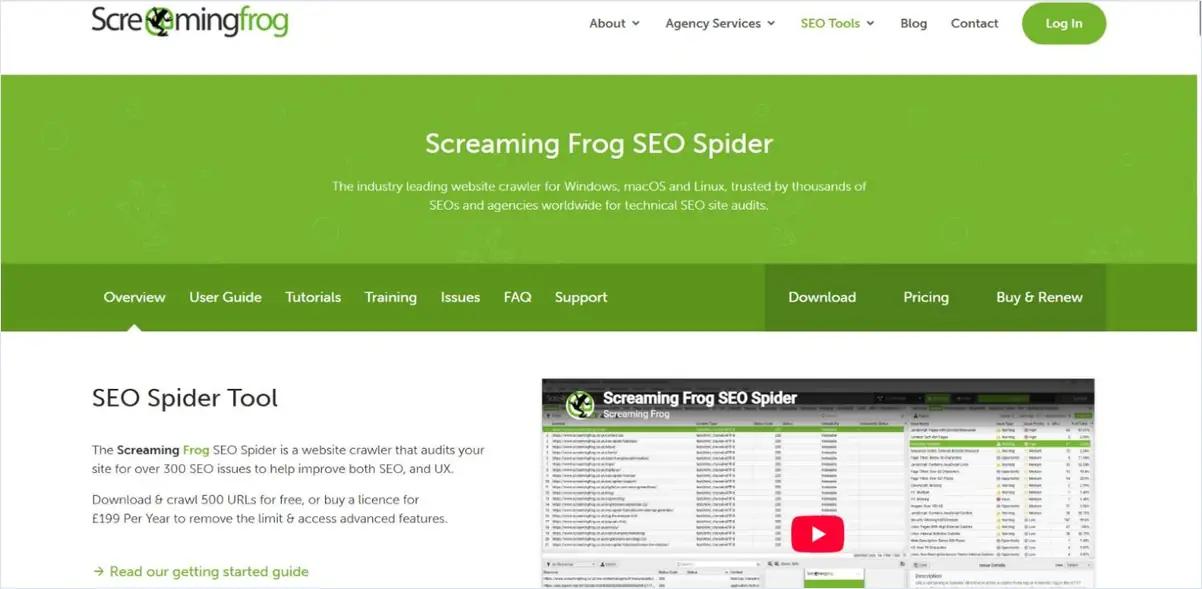
Screaming Frog crawls a site and reports 14 hreflang issue types, including missing return links, non-canonical return links, incorrect language and region codes, missing self-references and missing x-default. The free version crawls up to 500 URLs, which covers many small multilingual sites. Running it after every major content release catches broken annotations early.
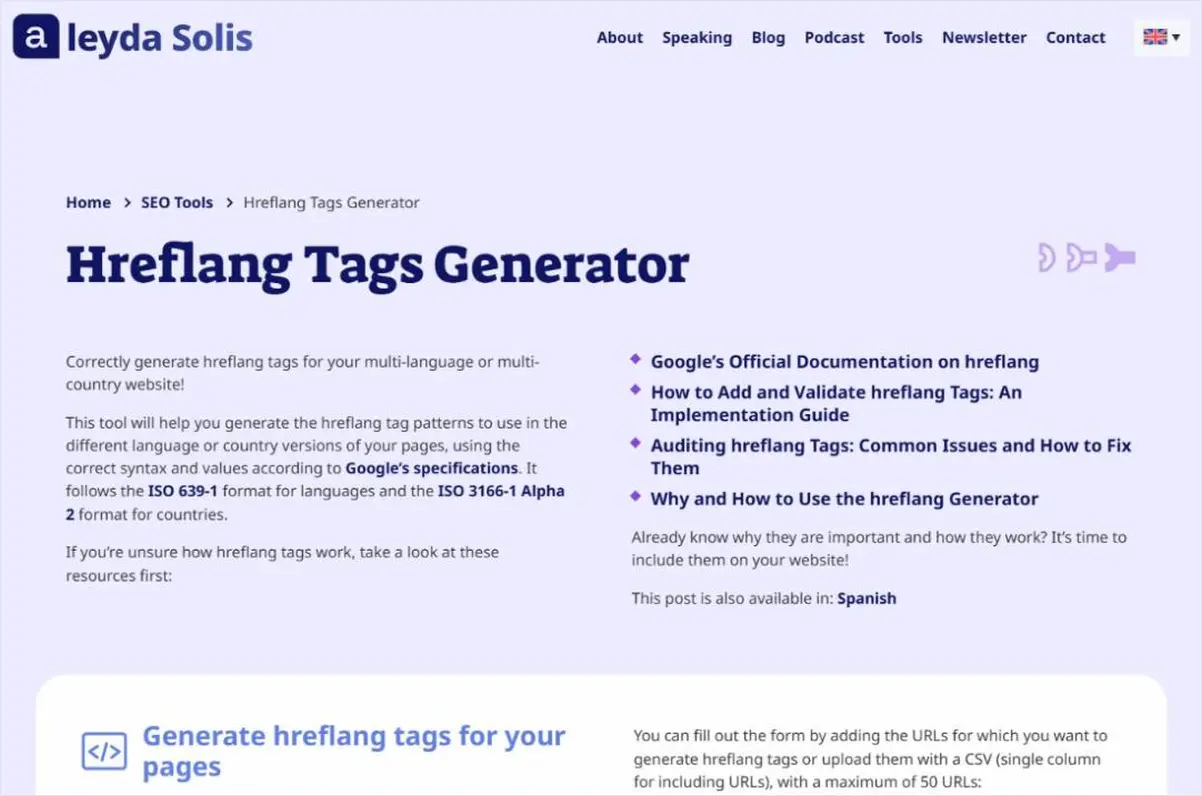
This free generator by international SEO consultant Aleyda Solis creates hreflang tags for up to 50 URLs, using ISO 639-1 language codes and ISO 3166-1 Alpha 2 country codes as Google requires. It is useful for hand-coded sites, landing pages outside the CMS, and checking what a plugin should be producing.
Search Console shows which language versions are indexed, which canonical Google selected for each page, and how each version performs by country. Filtering the Performance report by a folder such as /de/ and by country gives a clean view of each market. The URL Inspection tool is the fastest way to confirm Google sees hreflang alternates correctly. Google’s own rules for those annotations are set out in its guide to localized versions of a page.
Ahrefs Webmaster Tools gives free site audits for sites you verify, including hreflang checks, alongside backlink data for each language folder. It suits small teams that want a second crawler without another subscription. Other link checkers for each market are compared in this list of backlink analysis tools.
Choose keyword tools that let you set both the country and the language before researching, and start from native seed terms rather than translated English keywords. The same product is often searched with different words in different countries that share a language.
Semrush offers country-specific keyword databases, so a Spanish keyword can be checked separately for Spain, Mexico and Argentina. Its Keyword Magic Tool expands native seed terms into topic clusters for each market. AI-assisted options for the same job are compared in this list of AI tools for keyword research.
Keyword Planner is free with a Google Ads account and lets you target any combination of locations and languages. Its volumes are shown in ranges for accounts without active spend, but it is still useful for comparing which local phrasing gets more searches. Other free options are listed in this guide to free keyword research tools.
Choose a database plugin when you want full ownership and editorial control, and a cloud service when speed of setup and platform flexibility matter more. Both can rank equally well when the SEO basics are in place.
Choose by platform first, then by how many words and languages you need, then by which SEO features each plan includes. The Multilingual Tool Fit Test below turns that into a quick decision.
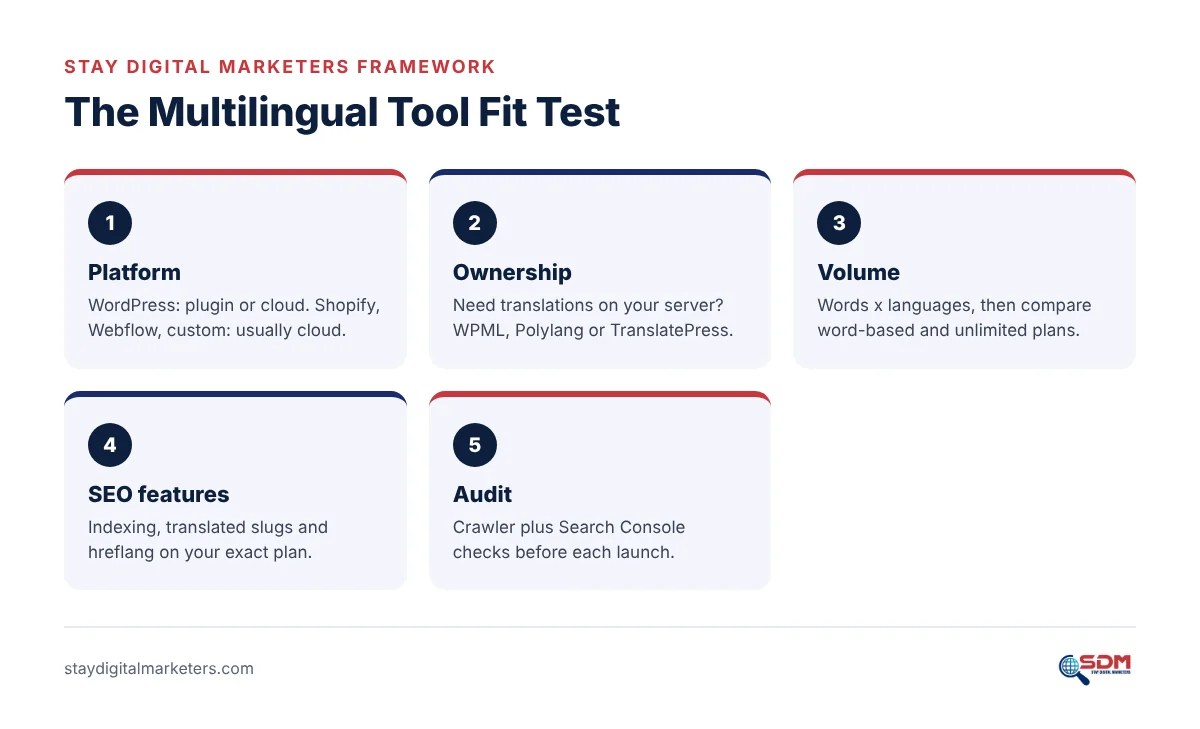
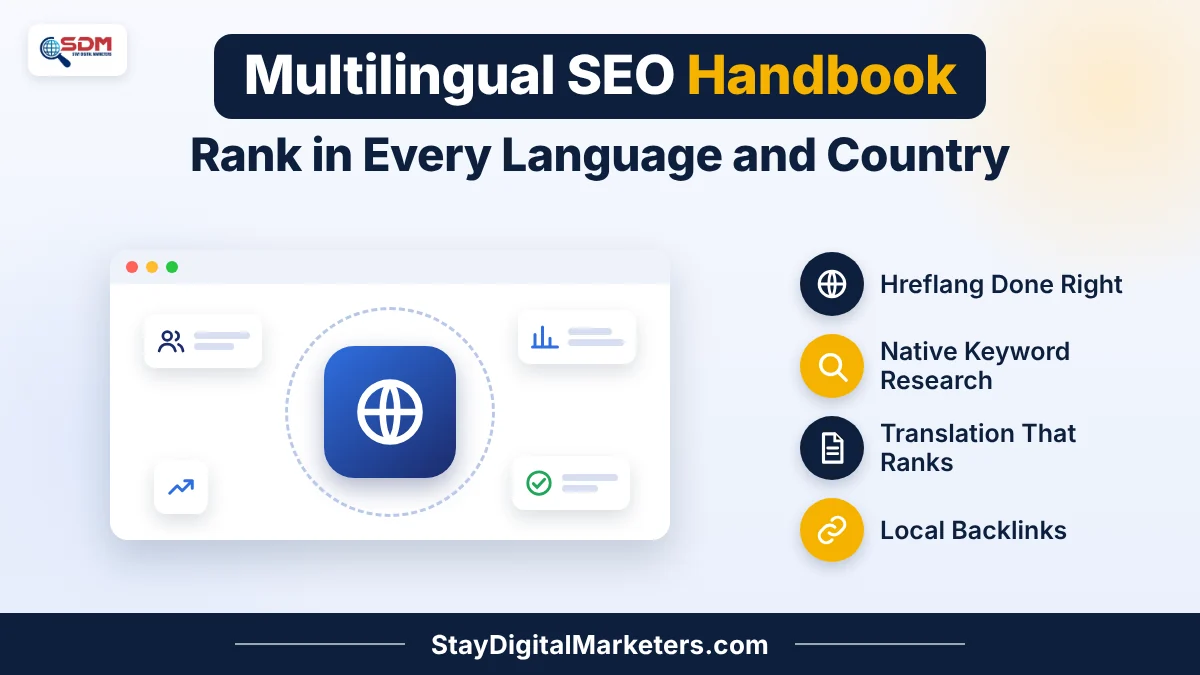
A pattern observed across client work is that teams compare translation tools on the monthly price and later discover that translated slugs, indexing or extra languages sit on a higher plan. Checking the SEO features first usually changes which tool looks cheapest. The full setup process is explained in the multilingual SEO handbook.
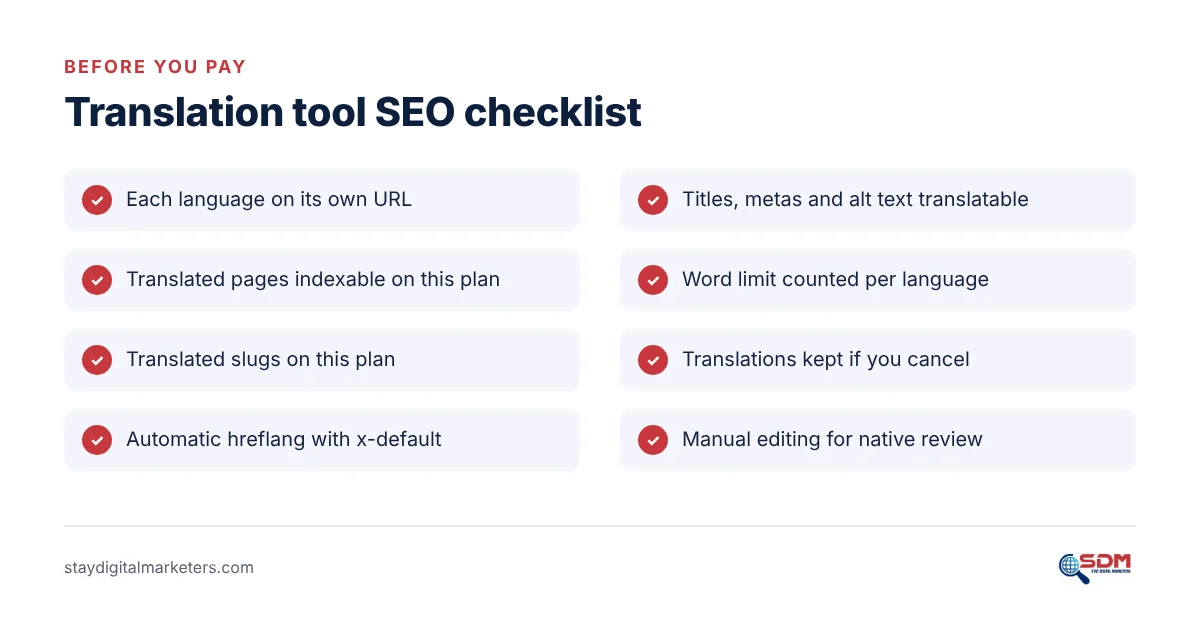
Tools only create the pages. Each language version still needs authority from sites in that language before it can compete with native competitors, which is the focus of a dedicated multilingual link building service.
Polylang’s free version is the strongest free option for WordPress because it creates separate indexable pages per language with hreflang. TranslatePress’s free plugin supports one extra language. GTranslate’s free widget is not indexed by search engines, so it helps visitors read pages but does nothing for multilingual rankings.
No. Cloud services such as Weglot, Linguise and ConveyThis can rank well when they serve each language on its own URL with hreflang and translated metadata. The main risks are plan limits on indexing or slug translation, and losing translations if the subscription ends, so check those terms before choosing one.
Yes, ideally. Translation plugins generate hreflang automatically, but errors appear when pages exist in only one language, canonicals conflict or URLs change. A crawler such as Screaming Frog flags missing return links and incorrect codes, and Search Console’s URL Inspection confirms how Google reads each page.
Machine translation from DeepL or built-in AI engines works well as a first draft. Pages that need to rank or convert should be reviewed by a native speaker, who fixes local terms, brand voice and search phrasing. Publishing raw machine translation at scale risks thin, low-value pages.
Semrush is a strong paid option because it offers separate keyword databases by country. Google Keyword Planner is a useful free option with location and language targeting. Whichever tool you use, start from native seed terms supplied by a speaker of that language instead of translating English keywords.
Teams that want help pairing these tools with local authority can work with Stay Digital Marketers, a resource that helps brands with guest posting, press release distribution, SaaS backlinks, niche edits, multilingual backlinks, Wikipedia page creation, Google Knowledge Panel creation and complete SEO services across 30+ countries.

Filza Taj is an MPhil in Human Resources-turned SEO Specialist, Content Strategist, and Digital Marketing Consultant with over 5 years of experience helping businesses in 30+ countries grow online. As the Founder of Stay Digital Marketers (staydigitalmarketers.com), she delivers results-driven solutions in link building, guest posting, PR distribution, niche edits, multilingual backlinks, and content marketing. She publishes daily SEO insights and actionable strategies to help brands strengthen their online presence, attract the right audience, and convert clicks into loyal customers.
Filza@staydigitalmarketers.com
Stay Digital Marketers
Need SEO, Link Building or Digital Marketing Services?
Request a Free Audit →