
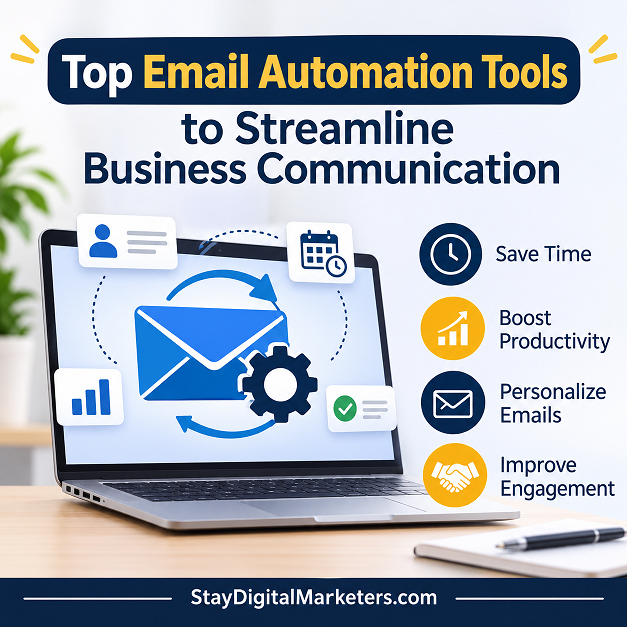
A customer signs up and hears nothing for a week. Another abandons a cart, and no one follows up. A lead replies, then waits two days for an answer. None of these is a big mistake, but together they cost businesses sales every month, and email automation exists to close those gaps.
The hard part is choosing. Dozens of tools promise the same thing, and several roundups reviewed for this guide were published by software vendors that rank themselves first. This guide gives a straight answer first, then shows how to check it against your own situation.
The top email automation tools for business communication are ActiveCampaign, Brevo, MailerLite, HubSpot, and Mailchimp for general marketing, Klaviyo, Omnisend, and Drip for ecommerce, Kit for creators, and Instantly and Lemlist for cold outreach. The right pick depends on the messages you send and where your customer data lives.
Here is what you will find below, and why each part is there:
Key Takeaways
| If you need | Look at | Why | Skip if |
| Simple automation on a small budget | MailerLite, Brevo | Easy setup and low entry cost | You need deep branching or a CRM |
| Advanced workflows with a CRM | ActiveCampaign, HubSpot | Complex logic and customer records | You only send a monthly newsletter |
| Online store flows | Klaviyo, Omnisend, Drip | Store integrations and prebuilt flows | You do not sell products online |
| Newsletter or creator income | Kit | Built for subscribers and creators | You need ecommerce tools |
| Outbound prospecting | Instantly, Lemlist, Saleshandy | Sequences, sending accounts, warm-up | You only email existing customers |
Each entry below lists what the tool does well and where it falls short, based on published roundups and vendor documentation. Free plans and limits change, so confirm them on the vendor site.
ActiveCampaign combines email automation with a built-in CRM, so messages can respond to deals, tags, and customer behaviour. Roundups consistently place it at the advanced end of the market.
Brevo charges mainly by email volume instead of contact count, which helps businesses with big lists and low sending frequency. A free plan with a daily send cap is listed in roundups.
MailerLite is known for a clean interface and approachable automation builder. Roundups list a free plan and describe it as a strong choice for straightforward workflows.
HubSpot pairs email automation with a free CRM and a wide set of marketing, sales, and service tools. The free tools suit early teams, while advanced automation sits in higher tiers.
Mailchimp remains a common starting point, with a large template library and a simple builder. Roundups recommend it for beginners who value an established name.
Klaviyo connects closely to Shopify and WooCommerce and ships with prebuilt flows for welcome, cart, and post-purchase messages. It uses store data to segment customers by what they bought.
Omnisend combines email and SMS flows with deep Shopify integration. Roundups position it for smaller stores that want both channels in one place.
Drip focuses on lifecycle flows for direct-to-consumer brands, with revenue attribution and a strong Shopify integration.
Kit, formerly ConvertKit, is built around subscribers, tags, and simple sequences for people who earn from their audience.
GetResponse bundles email automation with webinar and funnel tools, which suits businesses that sell through live sessions.
Instantly is built for outbound email, letting teams spread sending across many accounts. It sits in a different category from marketing platforms.
Lemlist combines email with social and call steps in one sequence, which suits personalized outbound campaigns.
| Tool | Category | Stated best use | Consider it when |
| Saleshandy | Cold outreach | Outbound prospecting | You want a lower-cost outreach option |
| Encharge | Product-led SaaS | Emails triggered by in-app events | Your emails depend on product behaviour |
| Moosend | Ecommerce | Small stores on a tight budget | You need basic store flows cheaply |
| Constant Contact | Marketing | Event tools and phone support | You value live support |
The Four-Gate Email Tool Fit Check is an editorial method for narrowing the list above. A tool must pass every gate, in order.
Gate 1: Message type: Decide whether you send marketing, ecommerce, outbound, or transactional email, and drop tools built for another type.
Gate 2: Trigger data: List the events that should start a message. Keep only tools that receive that data directly or through an integration you already use.
Gate 3: Sender controls: Confirm the tool supports domain authentication, one-click unsubscribe, and complaint reporting.
Gate 4: Cost driver: Find what the price scales with: contacts, emails sent, or active profiles. Estimate your bill at double your current list.
Observed across client work, tool choice often goes wrong at Gate 2. Teams pick a tool for its templates, then find the data behind their triggers lives in another system and never reaches it.
Automate the messages that follow a clear action. Stripo’s 2026 compilation of vendor reports gives this picture for ecommerce flows. Treat it as directional, since sources differ.
| Flow | Reported result | Used by | Reading |
| Welcome series | Highest open rates; $6.16 revenue per recipient | Not stated | Start here |
| Abandoned cart | 50.5 percent open rate; 3.33 percent conversion | 22.5 percent of brands | Add for online stores |
| Back-in-stock | $8.46 to $9.14 revenue per recipient | 0.6 percent of brands | Often missing |
| Win-back | $0.51 revenue per recipient | Not stated | Use mainly for list hygiene |
Service businesses without a store can borrow the logic: replace the cart with a quote request, and use booking reminders in place of back-in-stock alerts.
Yes, according to vendor data, with one caveat. Omnisend’s 2025 data, covering more than 150,000 brands, found automated emails made up 2 percent of sends but 30 percent of email-attributed revenue, and earned 16 times more per send than scheduled campaigns. Stripo’s compilation shows other vendors report different figures.
Triggered emails reach people who have just acted, so part of the lift comes from the audience. Most of the data also comes from ecommerce brands. Expect a real gain, but measure your own results.
Authentication is necessary but not sufficient. A Bird summary of the Gmail and Yahoo rules says Gmail treats about 5,000 or more messages a day as bulk, and bulk senders need SPF, DKIM, a DMARC record, one-click unsubscribe on marketing mail, and spam complaints under 0.3 percent. Google’s own pages could not be opened, so confirm the current rules.
Unspam, a vendor that sells deliverability testing, reports that 63 percent of tested emails reached the inbox and 33 percent went to spam between January and September 2026. Its tests include cold outreach and transactional mail, so marketing-only senders may do better. Most senders already use SPF and DKIM, yet placement still varies.
Step 1: Check that SPF, DKIM, and DMARC pass for the domain in your From address.
Step 2: Review complaint and bounce rates, and pause any flow above the 0.3 percent complaint line.
Step 3: Remove contacts who have stopped engaging.
Step 4: Ramp up volume gradually on a new tool or domain.
Step 5: Use a clear sender name, honest subject lines, one purpose per email, and a visible unsubscribe.
Email automation is software that sends messages automatically when a trigger occurs, such as a signup, purchase, abandoned cart, or date. You set the rules and content once, and the tool delivers them at the right moment. It differs from a one-time campaign, which you send manually to a chosen list.
There is no single best tool. Roundups place MailerLite and Brevo in the simple, budget group, ActiveCampaign in the advanced workflow group, and Klaviyo and Omnisend in ecommerce. Choose by message type, trigger data, and cost driver, then test two tools on a free plan or trial before paying annually.
Reported data says yes, with caveats. Omnisend’s 2025 data from more than 150,000 brands found automated emails made up 2 percent of sends but 30 percent of email-attributed revenue. Triggered emails also reach more engaged people, so part of the gap reflects the audience, not only the format.
Yes, at volume. A Bird summary says Gmail treats about 5,000 or more messages a day as bulk and expects SPF, DKIM, DMARC, one-click unsubscribe on marketing mail, and spam complaints under 0.3 percent. Check Google’s current guidelines before launching any automated sequence.
Authentication alone rarely explains it. Unspam’s 2026 tests, which include cold outreach and transactional mail, put 33 percent of tested email in spam even though most senders use SPF and DKIM. Check authentication first, then remove inactive contacts, slow new sending, and fix content that prompts complaints.
Start with a welcome series, then abandoned cart if you sell online, then post-purchase follow-ups. Stripo’s 2026 compilation reports the highest open rates for welcome series and a 3.33 percent conversion rate for abandoned cart. Win-back flows earn the least per recipient and mainly help clean the list.
Start with the message type, confirm the trigger data, check sender controls, and compare cost at double your list size. Stay Digital Marketers is a white-label SEO and link building agency registered in Mississauga, Ontario, assisting brands with guest posting, press release distribution, SaaS backlinks, niche edits, multilingual backlinks, Wikipedia page creation, Google Knowledge Panel creation, and complete SEO services.

Filza Taj is an MPhil in Human Resources-turned SEO Specialist, Content Strategist, and Digital Marketing Consultant with over 5 years of experience helping businesses in 30+ countries grow online. As the Founder of Stay Digital Marketers (staydigitalmarketers.com), she delivers results-driven solutions in link building, guest posting, PR distribution, niche edits, multilingual backlinks, and content marketing. She publishes daily SEO insights and actionable strategies to help brands strengthen their online presence, attract the right audience, and convert clicks into loyal customers.
Filza@staydigitalmarketers.com
Stay Digital Marketers
Need SEO, Link Building or Digital Marketing Services?
Request a Free Audit →