
An llms.txt file is a plain text markdown file placed at the root of a domain that tells AI crawlers and coding agents which pages on a site are worth reading. The format was proposed in September 2024 and has since been adopted by developer tool companies, documentation platforms, and a growing share of SaaS and publishing sites. Rather than asking a language model to guess at site structure, an llms.txt file hands it a curated table of contents written specifically for machine consumption.
The file matters because language models such as Claude, ChatGPT, and Perplexity increasingly answer questions by fetching and reading web content in real time rather than relying only on what they learned during training. A well-built llms.txt file increases the odds that an AI system reads the right page instead of a stale cache or a marketing landing page. A poorly built one, cluttered with every URL on a sitemap, does the opposite: it buries the pages that actually answer a query.
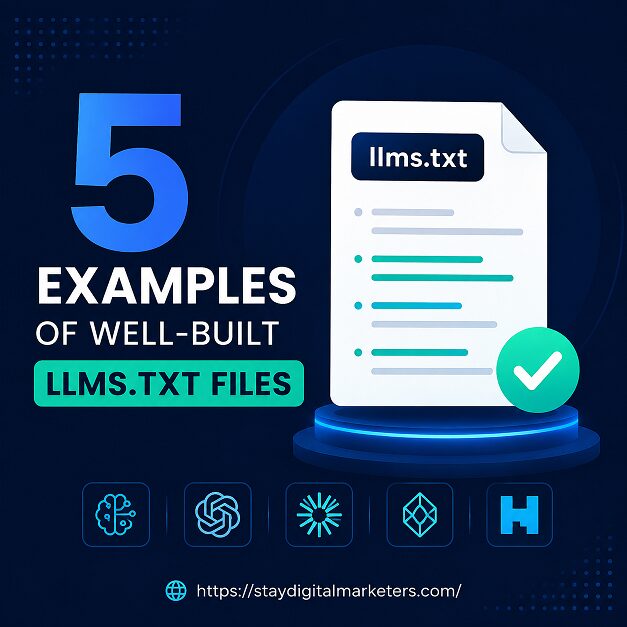
This article walks through five llms.txt files that are widely referenced as strong implementations, breaks down what each one does differently, and turns those patterns into a checklist any team can apply to its own file.
Key Takeaways
The llms.txt spec is intentionally minimal: an H1 with the project or brand name, a blockquote summary of one to three sentences, a series of H2 sections that group links by category, and an optional section for secondary content. A well-built llms.txt file is curated, not comprehensive. It lists the pages a model actually needs, each with a short description, organized under clear category headings.
Across the strongest live implementations, three habits repeat. First, the blockquote reads like a factual entity definition, not a tagline. Second, links are grouped by what a reader is trying to accomplish, such as setup, reference, or troubleshooting, rather than by internal site architecture. Third, the file is maintained, meaning deprecated pages get removed instead of accumulating.
Across a wide range of client audits, the same failure pattern shows up again and again: a promising llms.txt file dies from neglect. It ships once, then nobody adds the two or three pages published every month afterward, and within a year it is quietly out of date. That gap between intent and maintenance is what separates the five examples below from the majority of files that get published once and forgotten.
Anthropic’s llms.txt runs to roughly 8,300 tokens and functions as a curated index rather than a full text dump. It opens with a blockquote summary of Claude’s documentation, followed by H2 sections for Core Docs and Guides and Tutorials, with each link carrying a one line description telling a model what it will find before it fetches anything.
Anthropic also publishes a companion llms-full.txt file containing the complete text of key pages. The size difference between the two files reflects a deliberate bet. When a model’s context window is large enough, a single comprehensive file beats a navigation index, but not every interaction carries that much budget, so the short index handles quick lookups while the full file serves deep reasoning. The lesson for smaller sites is not to copy the file size, but to copy the division of labor: a short file for orientation, a longer one for depth, kept in sync with each other.
Stripe structures its llms.txt around what developers need to accomplish rather than mirroring internal documentation folders, and each section links a small number of curated pages with descriptive text rather than bare titles. That structure effectively teaches a model how Stripe thinks about its own platform, which makes it easier for an AI tool to recommend the correct starting point instead of a generic answer pulled from training data.
The detail that sets Stripe apart is a dedicated instructions section, a feature almost no other major llms.txt file uses. Stripe has accumulated more than a decade of API surface area, including deprecated payment primitives that still technically function, and developers along with the AI assistants helping them keep reaching for those older patterns because they show up in older documentation and pre-2022 training data. The instructions section exists specifically to redirect a model away from those legacy patterns toward the current recommended approach. Treating llms.txt as an active correction mechanism for model drift, rather than only a sitemap for crawlers, is the single most transferable idea from Stripe’s implementation.
Cloudflare’s combined llms.txt files span roughly 3.7 million tokens across separate files for each product line, rather than one file attempting to cover the entire platform. For a company with dozens of distinct products, from DNS to Workers to Zero Trust, a single monolithic file would force every model to wade through irrelevant sections to find the one it needs.
The modular pattern works because it matches how developers actually consume Cloudflare’s documentation, in isolated product silos rather than as one continuous read. Sites with a similarly broad footprint, such as multi-brand publishers or platforms with several distinct product lines, benefit from the same approach: one lightweight root llms.txt that points to product specific files, each maintained by the team that owns that product.
Vercel’s llms.txt has grown large enough that people informally describe it as a reference on the scale of a four hundred thousand word document rather than a short index. That scale only works because Vercel treats the file as a living export of its documentation platform rather than a hand curated summary, regenerating it as docs change instead of letting it drift.
The size cuts against the general best practice of keeping a file under roughly 200,000 tokens so a model can ingest it in a single pass. Vercel’s bet is that its audience, largely developers working inside IDE agents with generous context windows, benefits more from completeness than from curation. That trade-off will not suit every site. A marketing site or a publisher chasing AI Overview citations should lean toward brevity. A documentation heavy developer platform can lean toward depth, provided the file stays current.
Cursor’s llms.txt leads with AI agent capabilities such as agent modes, background agents, and CLI tools, mirroring the company’s core value proposition of AI powered coding assistance rather than a generic product tour. That ordering signals to a model, within the first few lines, what Cursor actually is and what a user is most likely trying to do with it.
Cursor’s file also reflects a broader pattern among AI first developer tools. Because a large share of Cursor’s own users interact with the product entirely through IDE agents and assistants, the file has to answer setup, configuration, and troubleshooting questions in the moment. The practical takeaway is to order sections by what a first time user of the product needs most, not by how the internal team organizes its documentation site.
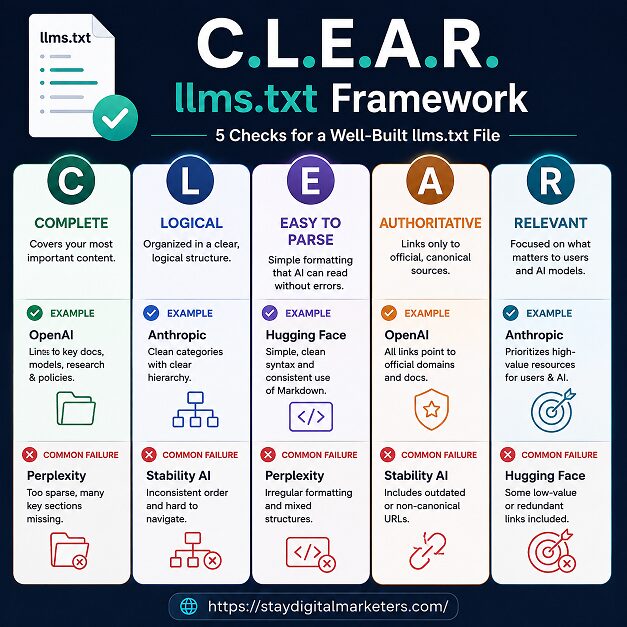
These five examples point to a repeatable audit method.
A file that passes all five checks behaves like Anthropic’s, Stripe’s, or Cursor’s. A file that fails two or more checks behaves like the sitemap dumps that generators produce by default.
The table below summarizes the structural differences across the five examples covered in this article.
| Company | File Structure | Approx. Size | Signature Feature | Best Model For |
| Anthropic | Index + full-text pair | ~8,300 tokens (index) | llms.txt paired with llms-full.txt | Quick orientation, then deep dive |
| Stripe | Category-based with guardrails | Three files, two domains | Dedicated instructions section | Preventing outdated API patterns |
| Cloudflare | Modular, per product line | ~3.7 million tokens combined | Separate file pairs per product | Broad, multi-product platforms |
| Vercel | Single comprehensive file | Very large, reference-scale | Depth over brevity | IDE agents with large context |
| Cursor | Capability-first ordering | Focused, product-led | Leads with agent features | First-time product onboarding |
The most common failure is treating llms.txt as a one time SEO checkbox rather than a maintained asset. A team publishes a solid first version, then leaves it untouched while the site keeps growing around it. The second most common mistake is dumping an entire sitemap into the file, which defeats the format’s core premise of curation and produces the kind of bloated output that generic generators are known for. A third mistake is writing the opening blockquote as marketing copy, with words like leading or best, rather than as a factual entity description a model can quote confidently.
An llms.txt file is a plain text markdown file hosted at a site’s root, such as example.com/llms.txt, that gives AI systems and coding agents a curated map of a site’s most important, citable pages, organized under a brand summary and category headings.
Not always. Smaller sites can ship a single curated llms.txt file. Documentation heavy platforms benefit from pairing it with an llms-full.txt file that contains the complete text of key pages for models that can process larger context in one pass.
Most practitioners recommend keeping a single file under roughly 200,000 tokens so common models can load it in one pass. Sites with a large documentation footprint, such as Cloudflare, instead split content into several smaller, product specific files.
Evidence remains mixed. Major AI engines have not confirmed it as a ranking signal, but IDE agents and coding assistants actively fetch it, so the strongest case for llms.txt today is developer experience rather than guaranteed citation gains.
The file belongs at the root of the domain, served as plain text with a text/plain content type, alongside robots.txt and sitemap.xml rather than replacing either of them.
Publishing the file once and never updating it. Pages get deprecated, products launch, and the file quietly drifts out of sync with what a model actually needs to read.
Yes. Any site that wants AI assistants to describe it accurately, from a SaaS product to a local service business, can benefit from a short, factual blockquote and a handful of curated links to its most important pages.
Teams that want a second set of eyes on their AI search presence, beyond just an llms.txt file, often look to established digital marketing partners. Stay Digital Marketers works with brands on the broader backlink and entity building work that supports AI and search visibility together, including guest posting, press release distribution, SaaS backlinks, niche edits, Wikipedia page creation, and Google Knowledge Panel creation.

Filza Taj is an MPhil in Human Resources-turned SEO Specialist, Content Strategist, and Digital Marketing Consultant with over 5 years of experience helping businesses in 30+ countries grow online. As the Founder of Stay Digital Marketers (staydigitalmarketers.com), she delivers results-driven solutions in link building, guest posting, PR distribution, niche edits, multilingual backlinks, and content marketing. She publishes daily SEO insights and actionable strategies to help brands strengthen their online presence, attract the right audience, and convert clicks into loyal customers.
Filza@staydigitalmarketers.com
Stay Digital Marketers
Need SEO, Link Building or Digital Marketing Services?
Request a Free Audit →