
Call or WhatsApp us anytime
Mail Us For Support

Google Search Console no longer has a dedicated hreflang error report, because the International Targeting report that showed those errors has been deprecated. Hreflang errors still happen, and they still stop the right language version from appearing, but they now have to be found with a site crawler, the URL Inspection tool and the Page indexing report.
Google confirms on its International Targeting deprecation notice that it continues to support hreflang. This guide lists the eight hreflang errors that appear most often, how each one shows up today, and the exact fix for each.
Key Takeaways
Hreflang errors now show up as symptoms in Search Console and as direct findings in third-party crawlers. Search Console no longer lists them by name, so the work is to connect the symptom to its cause.
The most common hreflang errors are missing return links, missing self-references, invalid codes, conflicts with canonicals, links to broken or redirected URLs, relative URLs, tags outside the head and a missing x-default. The table summarises each error and its fix.
| Error | What goes wrong | Exact fix |
|---|---|---|
| 1. Missing return links | Page A lists page B, but B does not list A | Add the reciprocal annotation on every alternate |
| 2. Missing self-reference | A page lists its alternates but not itself | Include each page in its own hreflang set |
| 3. Invalid codes | Codes such as en-UK, es-419 or EU | Use ISO 639-1 and ISO 3166-1 Alpha 2, such as en-GB |
| 4. Canonical conflict | Translated page canonicalized to another language | Self-referencing canonical on every version |
| 5. Non-200 alternates | Hreflang points to redirects, 404s or noindex pages | Point only to final, indexable 200 URLs |
| 6. Relative URLs | /es/page/ instead of the full address | Use fully qualified URLs with https:// |
| 7. Tags outside the head | Tags injected into the body or after invalid head HTML | Output tags in a valid head, or use the sitemap method |
| 8. Missing x-default | No fallback for unmatched languages | Add x-default pointing to a selector or global page |
This is the most damaging error, because Google ignores hreflang pairs that are not confirmed in both directions. Google’s documentation on localized versions of a page states that the tags are ignored when two pages don’t both point to each other. It usually happens when a page is translated into only some languages, or when one version is edited and its tags are not updated. Fix: make sure every page in a set lists every other page in that set.
Each page must include itself in its hreflang list, as well as its alternates. Google’s documentation requires the page’s own language and URL in the set. Fix: add a line for the current page, for example the Spanish page listing its own URL with hreflang=”es”.
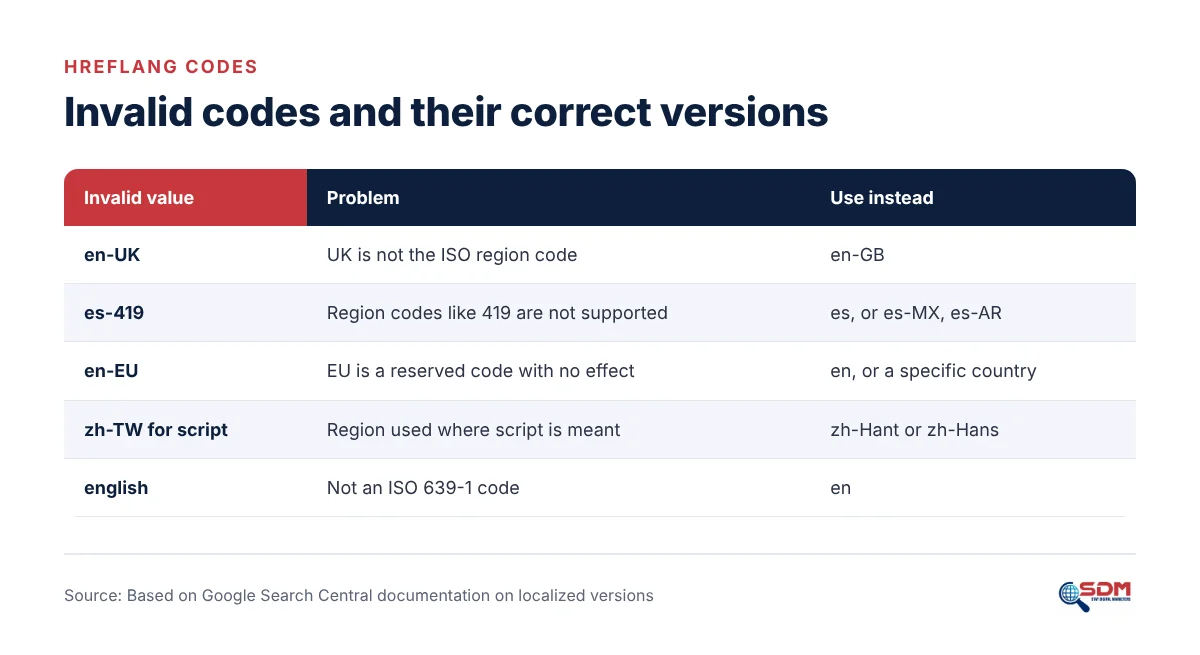
Hreflang only accepts ISO 639-1 language codes with optional ISO 3166-1 Alpha 2 region codes. The most common mistake is en-UK, which should be en-GB. Google also notes that es-419 is not supported and that codes such as EU or UN have no effect. Chinese script variants use zh-Hans and zh-Hant. Fix: replace every invalid code and recheck with a generator or crawler.
A canonical tag that points a translated page to the English original tells Google the translation is a duplicate, which conflicts with hreflang listing it as an alternate. The translated page may then drop out of the index. Fix: give every language version a self-referencing canonical, and make sure hreflang lists only canonical URLs.
Alternates must be live, indexable pages that return a 200 status. Links to redirected URLs, 404 pages or pages marked noindex break the set. This often appears after slugs are translated or changed without updating the annotations. Fix: crawl the site, then update each hreflang URL to its final destination or remove the dead alternate.
Hreflang URLs must be fully qualified, including the protocol and domain. A value such as /es/servicios/ is not valid. Mixing http and https, or www and non-www, creates the same kind of mismatch. Fix: use complete URLs that exactly match each page’s canonical.
Hreflang link elements are only read in the head section. Tags injected into the body by scripts, or placed after an element that closes the head early, such as an image or iframe in the head, are not read. Fix: output tags in a valid head, or move annotations to the XML sitemap, which Google supports as an equivalent method.
x-default tells Google which page to show when no language version matches the searcher. Without it, unmatched visitors may land on any version. A common misuse is pointing x-default at a page that is not part of the set. Fix: point x-default to a language selector or the main global page, and include it on every page in the set.
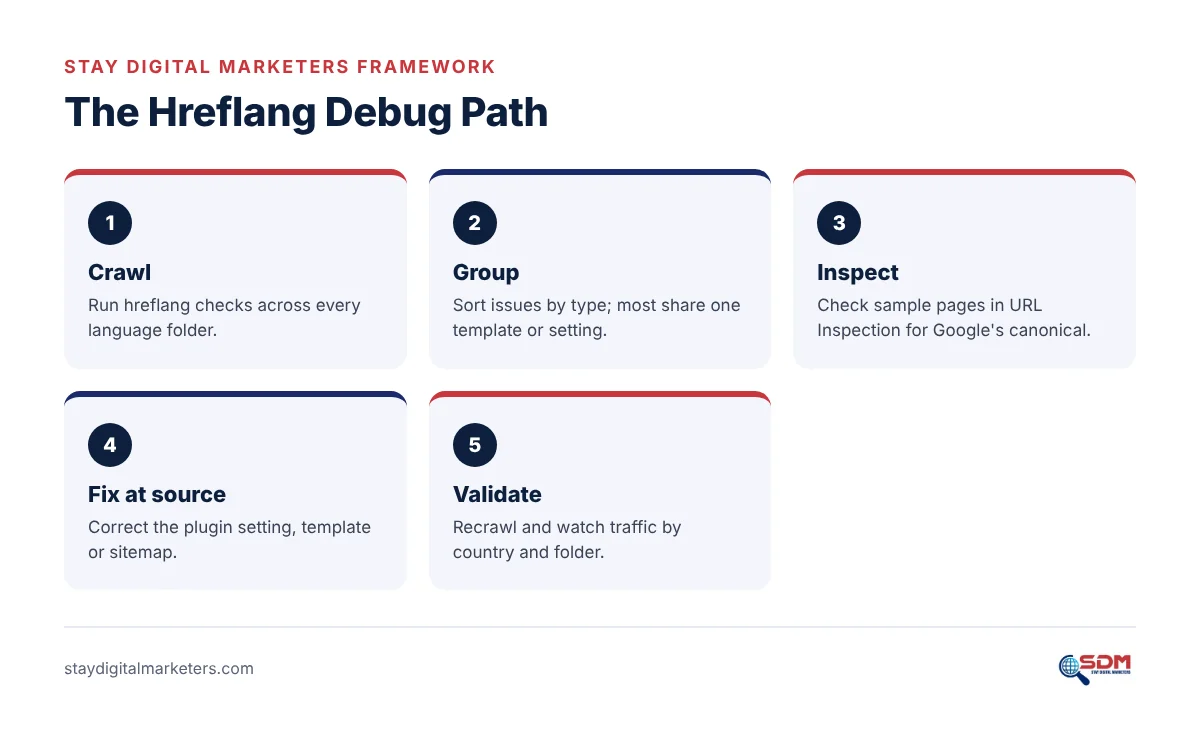
Crawl first to find errors at scale, inspect key pages in Search Console to confirm how Google sees them, then fix the template rather than individual pages. The Hreflang Debug Path below keeps the process in order.
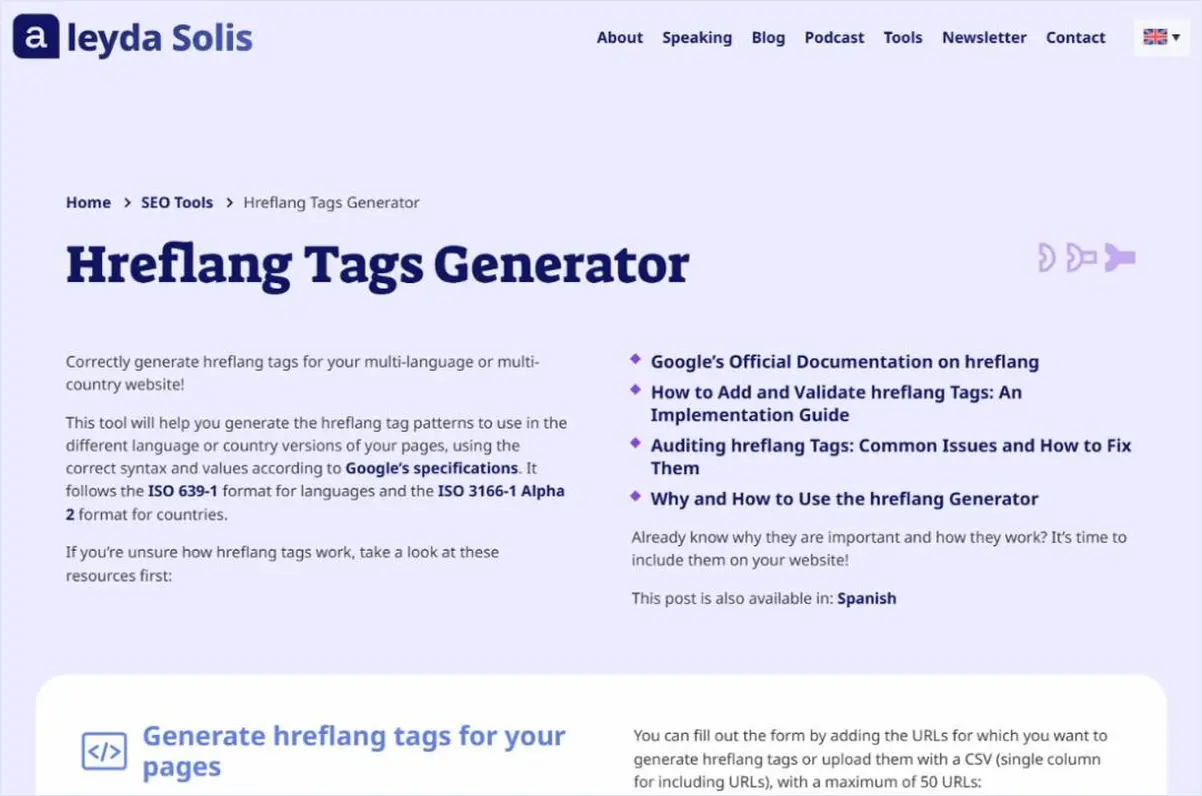
Screaming Frog reports 14 hreflang issue types, from missing return links to mismatches with the HTML lang attribute, and it is one of several crawlers compared in this guide to multilingual SEO tools. For small sets of URLs, Aleyda Solis’s free generator creates correct tags for up to 50 URLs.
Indexing problems on translated pages can also be checked quickly with a free Google index checker before running a full crawl.
Hreflang errors return because sites change: new pages are published in one language, slugs change, and plugins are updated or replaced. Each change can break reciprocity across the whole set.
A pattern observed across client work is that most hreflang problems trace back to one of three moments: a site migration, a switch of translation plugin, or a content team publishing pages in the main language without planning the translations. Adding a hreflang crawl to the release checklist for each of these moments prevents most repeat errors. The wider set of checks belongs in every technical SEO checklist.
No. Google states that it does not use hreflang or the HTML lang attribute to detect a page’s language. It reads the visible content. Hreflang only tells Google which pages are alternates, so a page with English menus and Spanish body text still sends a mixed signal however correct its tags are. The full setup for each language version is explained in the multilingual SEO handbook.
Sites with recurring hreflang problems across several markets may need a full audit of templates, plugins and sitemaps, which professional technical SEO services cover.
Search Console no longer shows hreflang errors directly, because the International Targeting report was deprecated. Use the URL Inspection tool to check how Google indexes a page and which canonical it chose, the Page indexing report for canonical issues, and a crawler such as Screaming Frog to list hreflang errors.
No return tags means page A lists page B as an alternate, but page B does not list page A. Google requires annotations in both directions and ignores pairs that are not confirmed. Fix it by making every page in a language set list every other page in that set, including itself.
No. The correct region code for the United Kingdom is GB, so the valid value is en-GB. Hreflang uses ISO 639-1 language codes and ISO 3166-1 Alpha 2 region codes. Other invalid values include es-419 for Latin American Spanish and EU, which Google says are not supported.
Hreflang errors do not cause a penalty, but they can stop Google from showing the right language version to the right searchers. Visitors may land on the wrong language and leave, and translated pages may compete with each other or drop out of the index when canonicals conflict with hreflang.
Both work, and Google treats HTML link elements, HTTP headers and XML sitemaps as equivalent methods. Sitemaps are easier to manage on large sites because all annotations live in one file. Use one method consistently, since mixing methods makes errors harder to find and fix.
For help fixing hreflang across several markets and building authority for each version, Stay Digital Marketers is one resource that supports brands with guest posting, press release distribution, SaaS backlinks, niche edits, multilingual backlinks, Wikipedia page creation, Google Knowledge Panel creation and complete SEO services.

Filza Taj is an MPhil in Human Resources-turned SEO Specialist, Content Strategist, and Digital Marketing Consultant with over 5 years of experience helping businesses in 30+ countries grow online. As the Founder of Stay Digital Marketers (staydigitalmarketers.com), she delivers results-driven solutions in link building, guest posting, PR distribution, niche edits, multilingual backlinks, and content marketing. She publishes daily SEO insights and actionable strategies to help brands strengthen their online presence, attract the right audience, and convert clicks into loyal customers.
Filza@staydigitalmarketers.com
Stay Digital Marketers
Grow Your Brand on Google, in AI Answers and on Autopilot
SEO, Link Building and AI Automation by Stay Digital Marketers
Get Your Growth Plan →